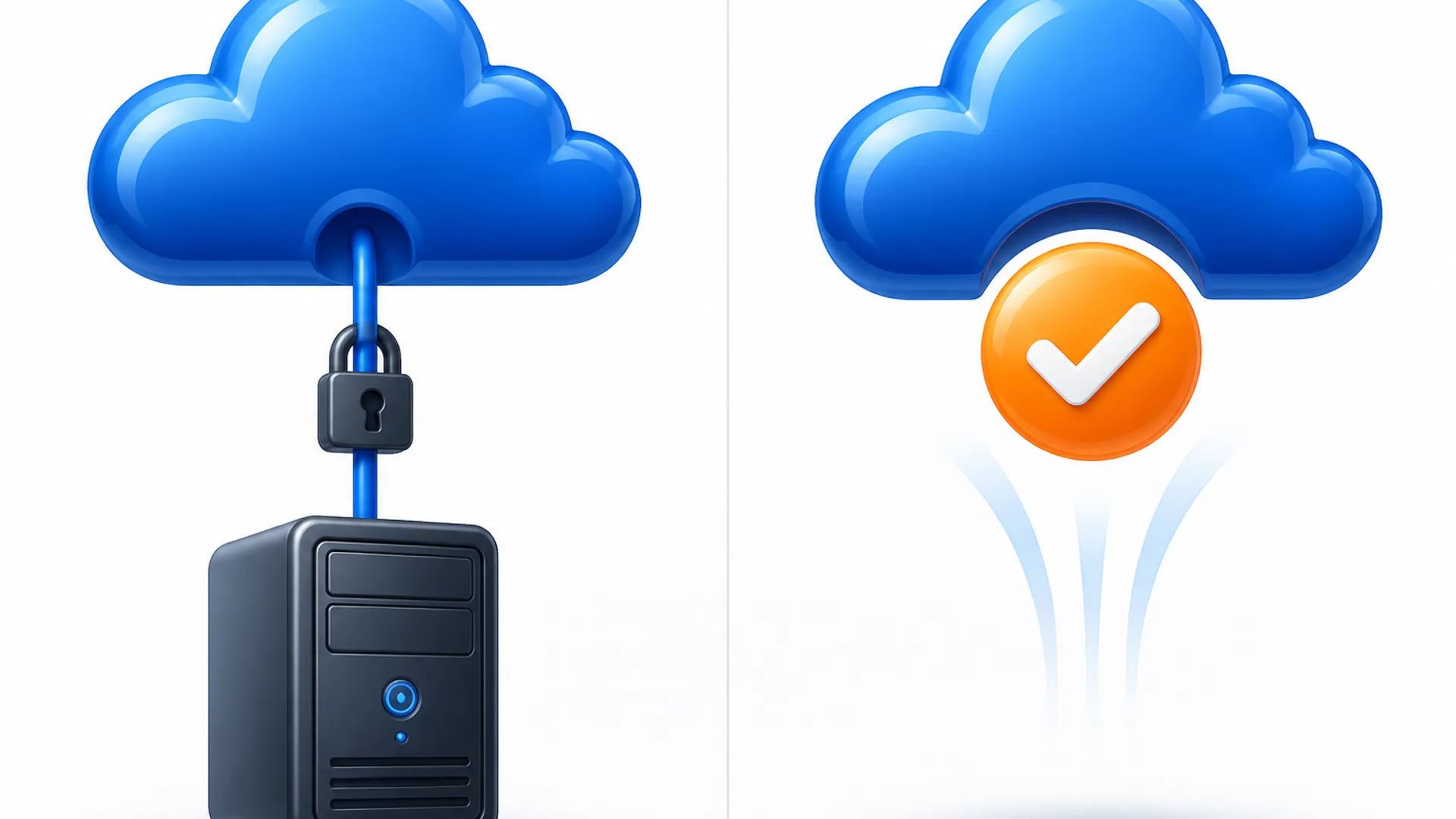
"Cloud tax software" is not one thing. It is a marketing bucket that holds two structurally different products. Some tax packages are built for a browser from day one: you log in, the software runs on the vendor's servers, and nothing gets installed on your computer. Others are the same Windows-only desktop program you have always run, streamed from a remote server by a separate hosting company. You still buy the desktop license, and then you pay a monthly fee per user to reach it. That distinction changes what you can do, what hardware you need, and what the real monthly cost is, so it is worth sorting the well-known names into the right bucket before you buy. If you want the full professional-suite comparison, sorted by pricing model and firm size, that lives in the professional tax software guide. This article is narrower: which products are genuinely cloud, in what way, and what the second bill looks like for the ones that are not.
The day-to-day split matters more than the label. A cloud-native tax product runs the same code on a Windows laptop, a MacBook, a Chromebook, or an office workstation, because the device is just a window onto a session that lives elsewhere. You pay one vendor one price, and the vendor patches servers, pushes updates, and handles uptime. A hosted desktop product behaves the same way on the surface, but underneath you are renting a Windows desktop that lives in a data center. You own or lease the tax software license, and you pay a hosting provider a separate per-user monthly fee to stream that software to your screen. That means two different bills, two different support paths, and a dependence on Windows that never actually goes away. The appeal is real: you keep the exact program your staff already knows, and you can reach it from anywhere. But it is not the same product as the cloud-native options, and buying it while believing you have escaped desktop software is the most common way firms overpay for "cloud."
Here is how five widely used tax preparation products sort out.
ProConnect Tax is the clearest bucket-A example. Intuit sells it explicitly as tax software delivered fully on the cloud with nothing to download, no software to install, and access through a browser (Intuit product page). For tax year 2026, the Essentials tier runs $2,478 per year for one user and up to 50 individual returns; Essentials 100 runs $3,842 for up to 100 returns; Plus runs $5,868 for two users and up to 200 returns; and Advanced runs $8,462 for multiple users and up to 400 returns. Pay-as-you-go pricing is available too: $82.46 per individual return and $97.46 per business return at the discounted rate, with volume discounts at 50, 100, 200, and 400-plus returns (Intuit pricing page). A separate User Access License is required and costs $210 per user per year, or a flat $2,100 for firms with 10 or more users.
TaxSlayerPro Web is also bucket A. It is the browser version of TaxSlayerPro, offered alongside the desktop Classic tier, and priced around $1,595 per year for unlimited returns with no per-return fee and all 50 states plus DC. The vendor blocks automated access to its site, so this figure is secondary-sourced and approximate rather than pulled from a live product page, but it is the right ballpark for a cloud-native unlimited product.
Drake Tax Online is bucket A. Drake sells it as a browser alternative to its Windows-only Drake Tax desktop, with the pitch aimed at preparers who work from a Mac or prefer not to be tied to a single machine (Drake Software product page). Drake does not publish a price for the Online variant specifically; you have to contact sales. One wrinkle: the separate option to have Drake host your regular desktop product is a different purchase path from the Online product.
Lacerte plus Rightworks hosting is the clearest bucket-B pairing. Lacerte itself is a Windows desktop installation, with a pay-per-return license starting around $599 per year plus per-return fees and an unlimited tier priced by quote. If you want to reach that same install remotely, Intuit's named hosting partner is Rightworks, which Intuit lists as its exclusive hosting partner for Lacerte and ProSeries (Rightworks hosting page). Hosting means remote or streamed access to your existing Lacerte install, not a new cloud app. Rightworks charges $131 per user per month for its Business plan and $156 per user per month for its Advanced plan, on top of the Lacerte license itself, with volume discounts available (Intuit desktop hosting pricing page). The hosting plan includes 80GB storage per user, firewall protection, and the ability to run other desktop apps alongside Lacerte, such as QuickBooks Desktop, Office, or Adobe.
UltraTax CS plus Virtual Office CS is the other bucket-B pairing. UltraTax CS is Thomson Reuters' desktop install, with no public price and a custom quote. Virtual Office CS is Thomson Reuters' own hosting environment for the entire CS Professional Suite. The suite contains Accounting CS, Practice CS, and the rest of the CS Professional Suite alongside UltraTax CS. Thomson Reuters describes it as tax and accounting software hosted on their servers, functioning like a local install and reached through a NetStaff CS portal, with 24/7 Microsoft Exchange included for staff (Virtual Office CS product page). There is no public price; after you receive the UltraTax CS quote, you must also request a separate quote for Virtual Office CS.
Onvio is a separate Thomson Reuters product. It is a cloud-native firm management layer for portals, documents, and billing, genuinely browser-based, but it does not prepare returns; it feeds documents into UltraTax CS. The fuller Onvio treatment is in the sibling professional tax software guide.

The table makes the split easier to see at a glance.
| Product | How it is deployed | Added monthly hosting fee | Works on a Mac or Chromebook |
|---|---|---|---|
| ProConnect Tax | Cloud-native | None, the subscription covers it | Yes, in the browser |
| TaxSlayerPro Web | Cloud-native | None, the subscription covers it | Yes, in the browser |
| Drake Tax Online | Cloud-native | None, the subscription covers it | Yes, in the browser |
| Lacerte + Rightworks | Hosted desktop | $131 to $156 per user per month, on top of Lacerte license | Yes, through a remote Windows session |
| UltraTax CS + Virtual Office CS | Hosted desktop | Custom quote, on top of UltraTax CS license | Yes, through a remote Windows session |
For the bucket-A products, the cloud product is the base price. There is no second monthly fee for hosting, and they run natively in a browser on a Mac or Chromebook. For the bucket-B products, the per-user monthly hosting fee is real, recurring, and separate from the tax software license. For a three-person firm using Lacerte with Rightworks Business, that is $393 per month, $4,716 per year, before the Lacerte license itself. For UltraTax CS with Virtual Office CS, you will not know the number until you get the quote, but the two-bill structure is the same.
So which way should a firm lean? If you are remote, multi-location, or Mac-based, weigh bucket A higher. You avoid a second bill, avoid dependence on Windows on the machine in front of you, and avoid paying for server infrastructure you do not control. If you already own a Lacerte or UltraTax CS license and only need seasonal remote access, do the math before assuming cloud is cheaper. Take the per-user monthly hosting fee, multiply by the number of people who will use it and the months you will actually run it, then compare that to what a bucket-A product would cost for the same period. The hosting add-on can make sense for a few months of tax season, but it can also quietly cost more than the cloud-native product would have. Onvio sits outside this decision: it is a genuinely cloud-native firm management layer, not a prep engine, and it is covered in the professional tax software guide. A separate later decision is whether to add AI research tools on top of whichever prep product you choose; the AI tools for accountants guide covers those, and the tax compliance and research category lists options like TaxGPT and Blue J that plug into research workflows after you have picked your prep software. And if the decision is still fuzzy after sorting the buckets, the CurateSuite matchmaker will ask you a few questions about firm size, hardware, and workflow and suggest tools that fit.
Common questions
Does Lacerte run in the cloud without extra hosting?
No. Lacerte is a Windows desktop application. It becomes reachable from anywhere only when you add the separate Rightworks hosting service, which costs $131 to $156 per user per month on top of the Lacerte license itself.
What is the difference between ProConnect Tax and Lacerte?
Both are Intuit products, but ProConnect Tax is cloud-native and runs in a browser with nothing to install, while Lacerte is a Windows desktop program that can be hosted remotely through a third-party service. The pricing models and feature sets differ, but the deployment build is the sharpest line between them.
Is UltraTax CS hosting an added expense?
Yes. Virtual Office CS is a separate Thomson Reuters hosting environment for the CS Professional Suite, and it carries its own quote on top of the UltraTax CS license. There is no public price; you get a custom quote.
Can cloud-based tax preparation software run on a Mac?
The three bucket-A products, ProConnect Tax, TaxSlayerPro Web, and Drake Tax Online, run natively on a Mac through a browser. The bucket-B options also technically let you work from a Mac, because you are viewing a remote Windows session, but you are renting Windows in a data center rather than running native Mac software.