A tax research question used to mean an hour with the code, the regs, and a stack of commentary, hoping you had not missed the ruling that changes the answer. AI tax research tools collapse that into a sourced answer in minutes, and the good ones show you the primary authority behind every line so you can check it before you rely on it. That last part is what separates a real research tool from a chatbot guessing in a confident voice.
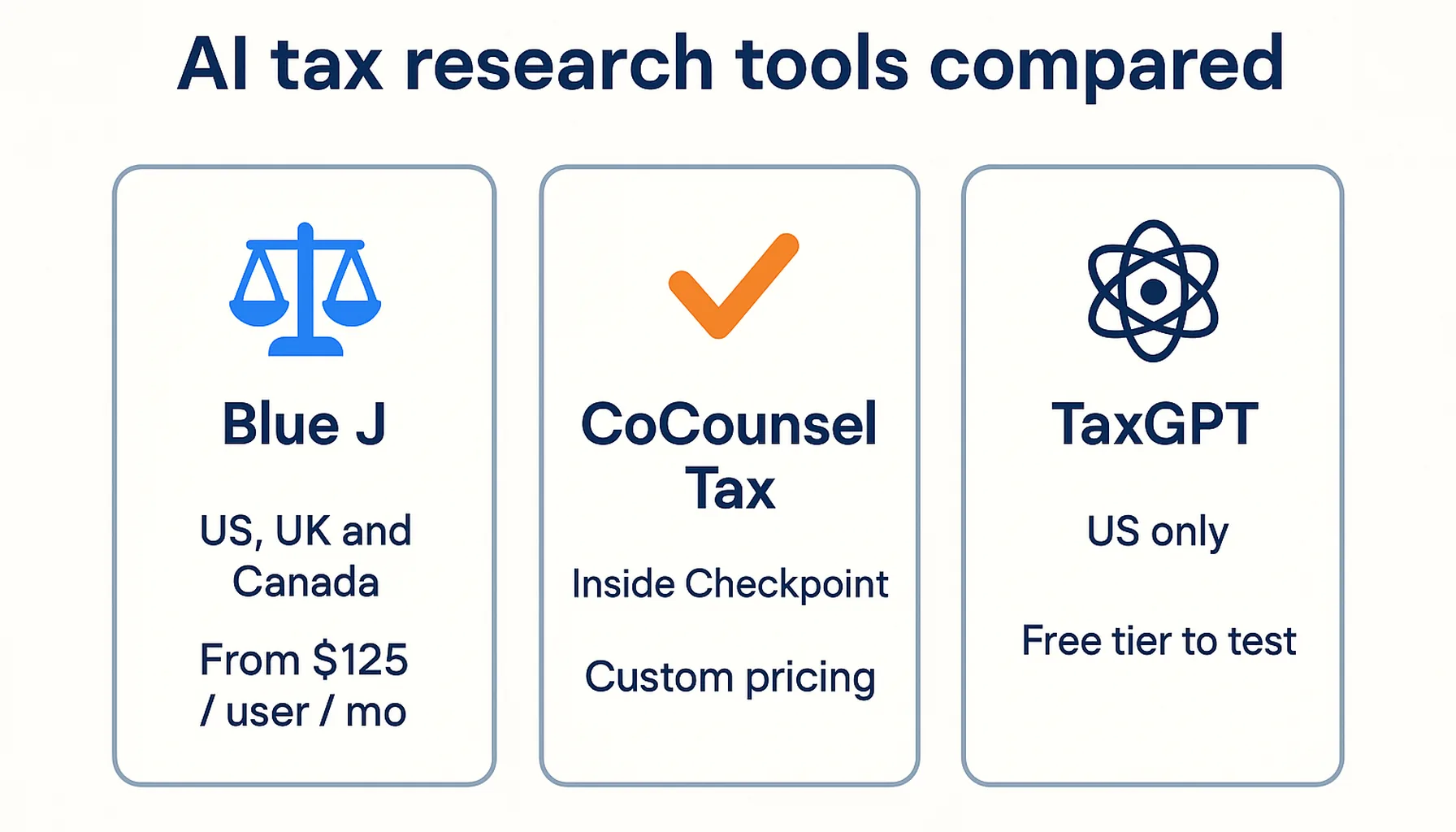
For most US firms the shortlist is short. Blue J and CoCounsel Tax are the established answers for tax-heavy practices, and TaxGPT is the lighter-weight option with a free tier you can actually test on. This guide covers what each one does, which jurisdictions and sources it draws on, what it costs, and how to pick. Pricing and capability details come from vendor-published pages, compared the same way across every tool, and are re-checked before each update.
Three things separate a tool you can bill against from one that just sounds clever.
It cites primary authority. The answer has to point to the Internal Revenue Code, Treasury regulations, IRS guidance, or case law, with a link you can open and read. An answer you cannot trace is an answer you cannot defend, and it is the single biggest reason a general chatbot is the wrong tool for a tax question.
It covers your jurisdictions. US federal is table stakes. State and local tax (SALT) is where the hours actually go for multi-state clients, and cross-border work needs content for the countries involved. A tool that only knows federal will send you back to manual research the moment a client crosses a state line.
It fits how you already work. Research that lands as a drafted memo or client email saves more than research you have to retype. Tools that connect to the library or tax engine you already pay for cost less to add than a whole new platform.
If you want the wider picture of where tax AI helps and where it does not, our breakdown of what AI can and cannot do in tax preparation sets the expectations before you buy.
Blue J: sourced answers across federal, SALT, and cross-border
Blue J is the purpose-built tax research platform most firms land on first. It answers questions by drawing on primary authority such as case law, statutes, and IRS guidance, and the vendor says its content also draws on commentary sources such as Tax Notes, and on IBFD cross-border material through a 2025 partnership with IBFD. It supports conversational follow-up so you can work through a multi-step scenario rather than firing one-off queries, and it drafts memos and client emails from the same sourced content, which is where the time savings show up: the vendor reports users save around three hours per user per week.
Coverage is the standout. Blue J handles US federal and SALT, Canadian tax, and UK tax, so a firm with cross-border clients is not stuck switching tools. The vendor lists the sole practitioner tier at $1,498 per year per user (about $125 a month), which includes unlimited research, the full US database, and daily content updates. Firm plans add training, usage reporting, and single sign-on on custom terms. A 7-day free trial lets you test it on live questions before committing.
It is the strongest fit for a tax-heavy practice that does genuine advisory work. If you have no tax advisory in the mix, or you are a solo bookkeeper watching every dollar, the annual price is hard to justify.
CoCounsel Tax: research inside Thomson Reuters Checkpoint
CoCounsel Tax is Thomson Reuters' AI research assistant, and it does the same core job as Blue J with one important difference: it works inside Checkpoint. It queries the Checkpoint library, including the Internal Revenue Code, Treasury regulations, IRS guidance, case law, and expert commentary, and returns conversational, sourced answers you can carry straight into a memo.
That makes the buying decision simple. If your firm already pays for Thomson Reuters Checkpoint, CoCounsel Tax is the natural add because it sits on top of a library you already trust and already fund. Pricing is bundled with the Checkpoint subscription rather than published as a list price, so you quote it through Thomson Reuters based on users and your existing plan. The flip side: there is no standalone option. A firm that is not on Checkpoint cannot license CoCounsel Tax on its own, which rules it out for practices that have not bought into that ecosystem.
Coverage spans US, UK, and Canadian content, and the interface is available in several languages. For firms standardizing on Thomson Reuters across research and compliance, including the ONESOURCE corporate tax platform, keeping research in the same family is a reasonable call.
TaxGPT: a free tier to test the idea on
TaxGPT is the easiest way to find out whether AI tax research fits your process without signing a contract. It answers research questions with citations to the underlying code and regulations, compares treatments across states, analyzes client documents, reviews returns for issues, and drafts memos. The work still ends up in your tax software, but the research and write-up happen faster.
The free tier is the hook: individuals get up to 25 tax questions and one return review, which is enough to judge whether the answers hold up. Firms that want more move to Professional or Enterprise plans, both custom-priced and gated behind a demo, with Enterprise adding AI agents for more autonomous workflows. It connects to Drake, ProConnect, and UltraTax, so it slots alongside common preparation tools rather than replacing them.
The catch is scope. TaxGPT is built for US tax work only, so its data does not serve firms in other countries, and there is no published professional rate, which makes budgeting harder than Blue J's transparent annual price. As a way to test the research-assistant idea before a bigger commitment, though, it is hard to beat.
Why "best AI for tax questions" is not a consumer chatbot
It is tempting to ask a general AI assistant a tax question and take the answer. For client work, do not. A consumer chatbot produces a fluent, confident response with no reliable way to check the source, and tax is exactly the field where a plausible wrong answer costs the most. Pasting client facts into one also sends that information to a service never built for professional confidentiality. The tools above exist because they are designed for professional use and tie every answer to primary authority you can open, read, and cite in a file. If you only remember one thing about choosing the best AI for tax questions in a firm, make it this: a tax answer is only worth using when you can open the authority behind it and check it yourself.
Best tax research software at a glance
| Tool | Starting price | Coverage | Best for |
|---|
| Blue J | $1,498/year per user (~$125/month) | US federal and SALT, UK, Canada | Tax-heavy practices wanting sourced answers and drafted memos |
| CoCounsel Tax | Custom, bundled with Checkpoint | US, UK, Canada | Firms already on Thomson Reuters Checkpoint |
| TaxGPT | Free tier; custom paid plans | US only | Testing AI research before a bigger commitment |
Prices come from vendor-published pages and are re-checked with each update. Custom means the vendor quotes by firm or plan and publishes no list price. The wider tax compliance and research category lists every tax tool in the directory.
How to choose
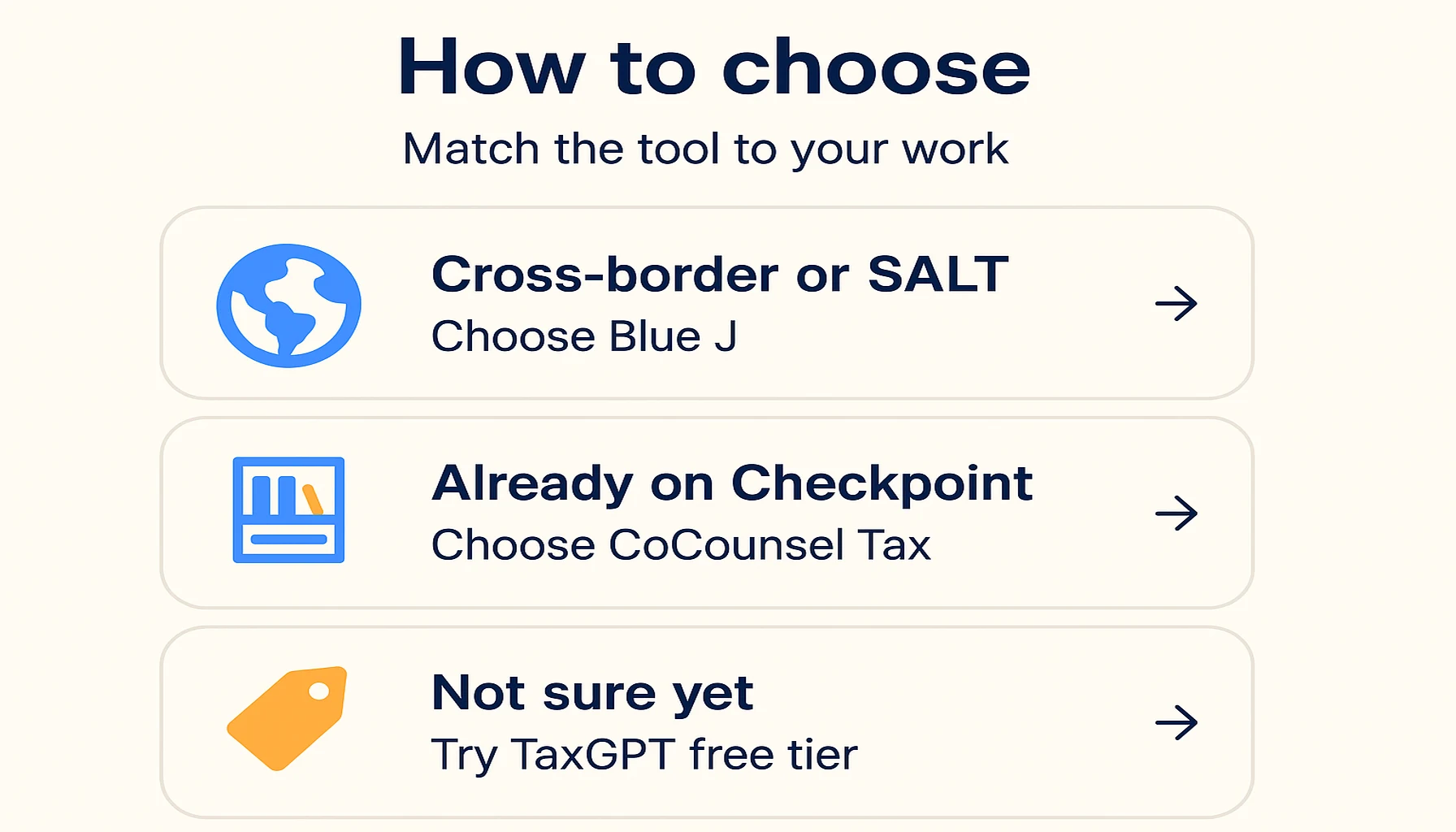
Choose based on the work your firm actually does.
Whatever you shortlist, run each option through a proper evaluation before signing, and remember that research tools sit alongside the rest of the stack. For the full set of tools a tax practice uses through the season, see our guide to the best AI tools for tax preparation, and for where research fits next to audit work, the tax and audit firm guide.
Common questions
They are software that answers tax research questions by drawing on primary authority, including the Internal Revenue Code, Treasury regulations, IRS guidance, and case law, and showing the citations behind each answer. The better tools also draft memos and client emails from the same sourced content, so the research and the write-up happen in one place. They sit alongside the tax engine a firm already uses; they do not file returns.
Can I just use a general AI chatbot for tax questions?
For client work, no. A general chatbot gives a confident answer with no reliable source to check, and tax is the field where a wrong answer is most expensive. Pasting client facts into a consumer tool also raises a confidentiality problem. Purpose-built tax research tools tie every answer to primary authority you can open and cite, and they are designed for professional use.
Blue J lists its sole practitioner tier at $1,498 per year per user (about $125 a month), with a 7-day free trial. CoCounsel Tax is bundled with a Thomson Reuters Checkpoint subscription and quoted by Thomson Reuters rather than listed publicly. TaxGPT has a free tier covering up to 25 questions and one return review, with custom-priced Professional and Enterprise plans that require a demo.
It depends on the work. A tax-heavy or cross-border practice gets the most from Blue J's coverage. A firm already paying for Thomson Reuters Checkpoint should look at CoCounsel Tax first. A firm that wants to test the idea before spending should start with TaxGPT's free tier and scale up only if the answers hold up against its own questions.
The bottom line
The research tool earns its fee on the question you would otherwise have spent an afternoon on. Pick the one whose sources you would be happy to put in front of a client.