CurateSuite
Comparison8 min read

TaxDome vs Canopy: Which Practice Management Platform Fits Tax Firms?

TaxDome bills annually with no free trial and no US border; Canopy bills monthly with a trial but stays US-only. A geography-and-workload filter picks the right one.

By CurateSuite
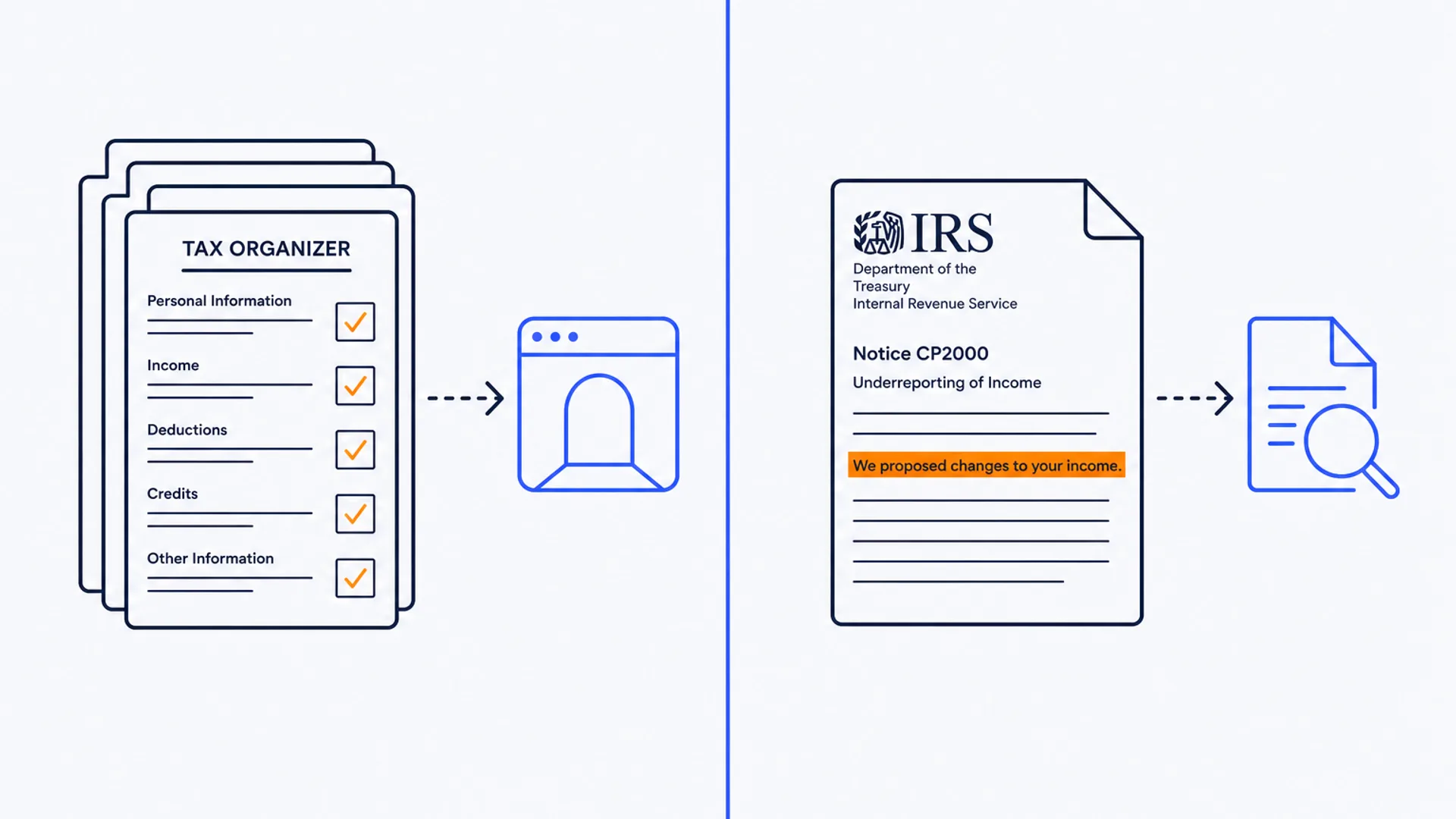
Flat editorial diptych on a warm off-white background, split by a thin vertical brand-blue line. On the left, a stack of glowing tax-organizer questionnaire pages with checked boxes feeds into a rounded portal-window icon. On the right, a single IRS notice document with a highlighted line feeds into a small transcript-and-magnifying-glass icon. No desk, laptop, phone, or coffee cup in the scene.

TaxDome and Canopy both get pitched as the one platform that replaces a firm's separate CRM, portal, billing, and document tools, and both show up on nearly every shortlist for practice management software. Past that shared pitch, the two are built for different jobs. TaxDome runs pre-filing tax organizers inside a branded portal and bills annually with no free trial. Canopy runs IRS transcript pulls and notice tracking for resolution work and bills monthly with a trial, but only inside the United States.

That split matters more than either vendor's feature list. A firm that picks based on price per seat alone can end up locked into a year of TaxDome with a client base outside the US, or paying Canopy's monthly rate for IRS integrations a bookkeeping-heavy practice never touches. This guide works from a three-question filter, geography, the shape of the tax work, and how much commitment risk the firm can absorb, rather than a side-by-side score that treats the two as substitutes.

The short answer

  • US tax-prep firms sending clients pre-filing questionnaires: TaxDome's tax organizers move that back-and-forth into a structured form inside the portal, and templates arrive pre-built for 1040, 1120, and 1065 season.
  • US tax firms doing resolution work, audit support, or heavy IRS notice handling: Canopy's direct IRS transcript pulls and notice tracking are the deeper feature here, and the Tax Resolution module is built around exactly that correspondence.
  • Firms with any clients outside the United States: TaxDome only. Canopy's geo-availability stops at the US border; TaxDome covers the US, UK, Australia, Canada, and Europe.
  • Firms that want to trial before signing a year of software: Canopy offers a free trial. TaxDome does not, and its pricing is billed annually upfront.

The three-question filter

1. Does every client sit inside the United States?

This narrows the field before anything else does. Canopy's geo-availability is US only, full stop, so a firm with even one client outside the country is choosing between running a second tool for that client or ruling Canopy out entirely. TaxDome lists the US, UK, Australia, Canada, Europe, and beyond, and ships in thirteen languages, which makes it the only one of the two that works as a single platform for a firm with any international client mix.

2. Is the work mostly pre-filing prep or ongoing IRS resolution?

TaxDome's workflow templates ship pre-configured for tax-return season, and its built-in tax organizers replace the email chase for prior-year documents with a form the client fills out inside the portal. That is the strongest reason a prep-heavy firm picks TaxDome over the alternative. Canopy's edge sits on the other side of the filing deadline: direct IRS transcript pulls, notice tracking, and e-Services integration where available, aimed at the correspondence that follows a return, not the collection that precedes it. A firm whose staff spend more hours chasing missing 1099s than responding to CP notices is solving a different problem than a firm doing the reverse.

3. How much annual commitment can the firm absorb before knowing if it works?

TaxDome charges per user per year with no free trial, so a firm signs a year of software before running a single real season through it. Canopy bills per user per month on an annual contract but offers a free trial, which gives a firm a way to test the workflow against an actual client file before committing budget. For a firm that has already run TaxDome or Canopy at a previous job, or gets a strong reference from another practice, that gap matters less. For a firm evaluating either platform cold, it is the difference between a demo and a real trial run.

TaxDome: annual per-user pricing built around tax organizers

TaxDome consolidates client portal, workflow, document management, e-signatures, and billing into one system, with tax organizers as the standout feature: pre-filing questionnaires that clients complete inside the portal instead of over email. That structured intake is where the time savings show up for a tax-heavy practice, more than any AI feature on the platform.

Pricing runs Essentials at $800 per user per year for a single-user firm, Pro at $1,000 per user per year (or $100 per seat per month if billed monthly), and Business at $1,200 per user per year, adding custom roles, advanced reporting, and priority support. There is no free trial and no free tier, and billing is annual upfront across every plan except the monthly option on Pro. AI features lean toward document handling: classification of client uploads, extracted fields from W-2s, 1099s, and K-1s, reply suggestions on client messages, and flags for a document a returning client uploaded last year but has not uploaded this year.

TaxDome connects to QuickBooks, Xero, Zapier, Stripe, Gmail, and Outlook, and serves firms in the US, UK, Australia, Canada, and Europe. The trade-off for that international reach and organizer depth is the annual, no-trial commitment.

Canopy: monthly pricing with a free trial and deep IRS integrations

Canopy bundles a CRM, workflow, client portal, time tracking, billing, and AI features into one platform, with its strongest differentiator sitting in the IRS integration layer rather than the client-facing portal. Direct IRS transcript pulls, notice tracking, and connections to Drake, ProConnect, UltraTax, and CCH ProSystem fx target firms whose work includes ongoing correspondence with the IRS, not just the return itself.

Pricing tiers run Standard at $74 per user per month, Plus at $109, and Premium at $149, all billed annually, plus a custom Enterprise tier. A free trial is available on the paid plans, which is the more forgiving on-ramp of the two platforms. AI features include summarizing long client email threads on demand, auto-creating tasks from inbound IRS notices, extracting key fields from transcripts and CP notices, and auto-filing documents into the right client folder.

Canopy connects to QuickBooks, Xero, FreshBooks, Gmail, Outlook, Slack, Zapier, Salesforce, and the major US tax-prep suites, but its geo-availability stops at the United States. A firm with even a handful of international clients needs a second tool for them regardless of how well Canopy fits the rest of the roster.

Feature and pricing comparison

Feature areaTaxDomeCanopy
Pricing modelPer user, billed annuallyPer user per month, billed annually
Starting price$800/user/year (~$67/month)$74/user/month
Free trialNoYes
Geo-availabilityUS, UK, Australia, Canada, EuropeUS only
Strongest featureBuilt-in pre-filing tax organizersDirect IRS transcript pulls and notice tracking
Tax software integrationsQuickBooks, XeroDrake, ProConnect, UltraTax, CCH ProSystem fx
Languages13English only
AI focusDocument classification and field extractionEmail summarization and IRS document handling

Prices reflect what each vendor publishes as of this writing. Confirm the current figure on the vendor's own pricing page before quoting a client budget, since both platforms adjust tiers periodically.

Geography rules this out before workload or price do

Check the client roster first. If any client sits outside the United States, TaxDome is the only one of the two that covers them, regardless of how well Canopy's IRS integrations might fit the domestic side of the practice. Inside the US, the choice shifts to workload: a firm that lives and dies by pre-filing document collection gets more out of TaxDome's organizer-led portal, while a firm carrying real resolution or audit-support work gets more out of Canopy's transcript and notice tools. Budget commitment follows last. TaxDome's annual, no-trial structure suits a firm that already knows the workflow fits; Canopy's monthly billing and free trial suit a firm that wants to run a real season through the platform before signing anything longer.

Neither platform is the only option in the category. The full practice management guide covers seven tools including Karbon, Financial Cents, and Jetpack Workflow for firms whose bottleneck sits outside tax-specific workflow. For the client-facing document exchange on its own, Best Client Portal Software for Accountants covers portal-first tools for firms that do not need the full practice management bundle.

Running the filter on two real setups

A five-person US tax-prep firm with a client base of small business owners and individuals, mostly 1040 and 1120 returns. Geography is entirely US, so both stay in play. Workload is prep-heavy: the bottleneck is chasing W-2s, 1099s, and prior-year documents before the return can start. Answer: TaxDome, for the tax organizers that turn that chase into a form clients fill out inside the portal.

A three-person firm that does tax preparation plus a meaningful book of IRS resolution work, audit representation, and notice response, with one client based in Toronto. The Toronto client rules out Canopy outright, since its geo-availability stops at the US border. Even setting that aside, the resolution workload favors Canopy's transcript pulls and notice tracking. With the geography constraint in place, the honest answer is TaxDome for the full roster, accepting a lighter IRS-integration layer for the resolution work, or a second specialized tool for that portion of the practice.

Common questions

Is TaxDome or Canopy cheaper?

Depends on firm size and how the math is run. TaxDome's Essentials tier is $800 per user per year, roughly $67 a month, which undercuts Canopy's $74-per-month Standard tier on a straight annual comparison. But TaxDome collects that full year upfront with no trial, while Canopy's monthly billing and free trial give a firm a way to back out early if the platform is not a fit. The cheaper sticker price is not automatically the lower-risk purchase.

Can a firm use both TaxDome and Canopy?

It happens, though it is not the common setup. A firm with a domestic tax-resolution book and an international prep client base might run Canopy for the US resolution work and TaxDome for everything else, but that means paying two subscriptions and maintaining two portals for clients. Most firms are better served picking one platform and accepting the trade-off on the feature it does not cover well.

Does either platform work for a UK or Australian firm?

TaxDome does. It lists the UK, Australia, Canada, and Europe in its geo-availability and ships in thirteen languages, including French, German, Italian, and Portuguese. Canopy is US only and has no published plan to expand. A UK or Australian firm evaluating Canopy for its IRS features specifically should confirm that need actually exists in the client base, since IRS integrations are irrelevant outside the US.

Which one has better AI features?

Canopy's AI set is broader on paper: email thread summarization, task creation from inbound notices, transcript field extraction, and auto-filing. TaxDome's AI is narrower and focused on document handling: classification, field extraction from common tax forms, and reply suggestions. Neither platform's AI layer is the reason to pick it over the other; the organizer-versus-transcript feature split and the geography constraint matter more for most firms.

What does switching from one to the other cost in practice?

Migration is the real cost, not the subscription difference. Both platforms hold the client record, document history, and workflow templates that a firm has built up over time, so a switch means re-mapping templates and re-training staff and clients on a new portal. Firms considering a switch should weigh a full tax season of disruption against whatever gap in features is driving the move, and confirm data export terms with the current vendor before signing a new contract.

If the filter above still leaves the choice unclear, the CurateSuite matchmaker takes a few questions about client geography, service mix, and budget, and returns the practice management tools that fit, with results shown immediately and no email required.

Find the right AI tools for your firm

Seven questions, two minutes, a short list of the five tools that fit your firm best. Your results, instantly. No sign-up needed.

Take the matchmaker

Tools referenced in this article

More articles

Last updated 2026-08-05. Tool comparisons are based on vendor-published specs. See our methodology.