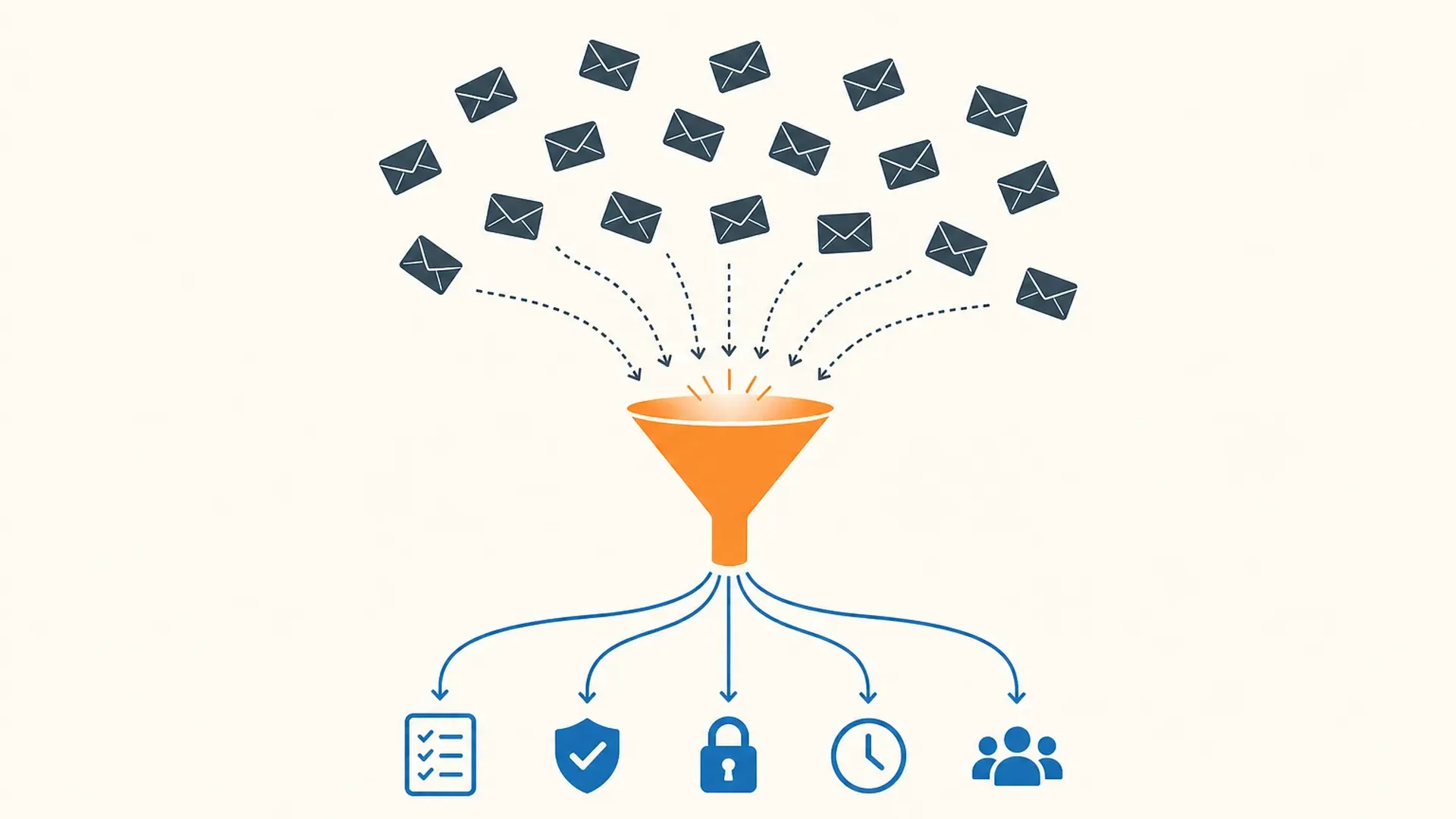
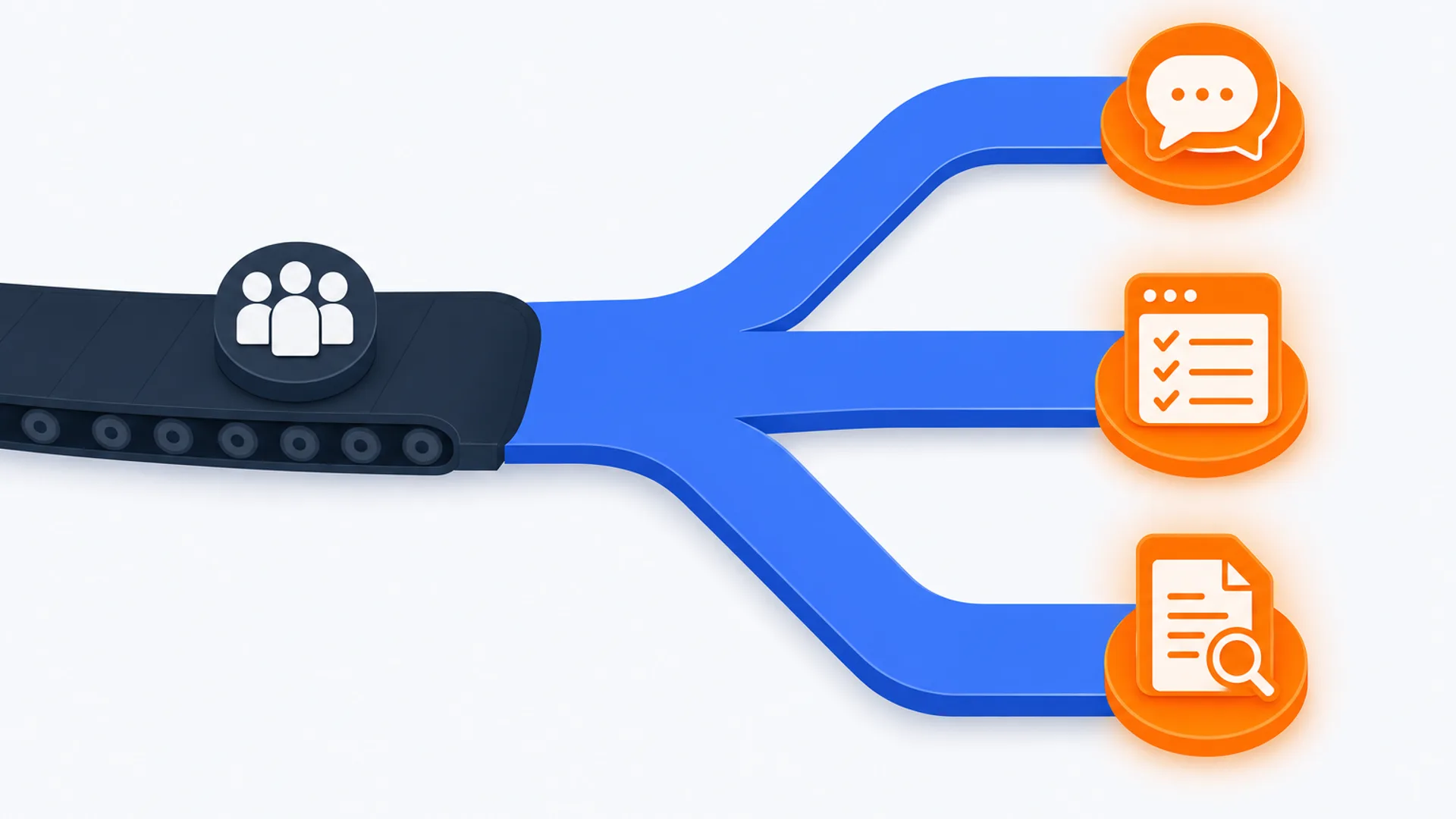
Ask a client to "log into the portal" and a meaningful share of them will not. They forget the password, give up on the reset email, and reply to your original message with the document attached instead, which is exactly the unencrypted channel the portal was supposed to replace. That single point of friction, not storage space or branding, is what actually separates the client portal tools in CurateSuite's catalog. Three of the five built specifically around a client portal have removed the login altogether, and Content Snare states plainly that its clients create no account and have no password either. Only the full practice suites that bundle a portal as one feature among many still put the client behind a real account, which is a deliberate tradeoff for a client who comes back all year rather than an oversight.
This guide covers the five catalog tools sold as a dedicated client portal, sorts them by that access question first and price second, and says where a full practice-management platform is the better buy instead of a standalone portal.
The short answer
- Solo or small US firm that wants passwordless access built into workflow: ClientHub starts at $49 a month and ties every portal action to an automatically updating task.
- Same passwordless idea at a lower entry price: Financial Cents starts at $19 a month for a single user, with the branded portal reserved for its top tier.
- Just need clients to stop emailing documents, nothing else: Content Snare is a document-collection link rather than a full portal, from $35 a month.
- UK firm that wants GBP billing and a published storage cap: Glasscubes is ISO 27001-certified with tiers from 500 GB to unlimited storage.
- Australian firm onboarding new clients through Xero Practice Manager: Seamlss signs engagement letters and verifies identity in the browser, with ATO Agent Linking handled automatically.
- Portal is one piece of a bigger workflow, billing, and CRM problem: a dedicated portal is the wrong purchase. The CurateSuite guide to AI practice management software compares full suites like TaxDome and Canopy that bundle a portal with everything else.
What a client portal is actually for
A client portal is the one surface a client sees directly: where they upload a W-2 or a bank statement, sign an engagement letter, and check what your firm still needs from them. It is not the same purchase as full practice management, which also runs your team's internal task tracking, time entry, and billing. Some tools sell the portal as one module inside a bigger platform. Others sell it as the whole product. Confusing the two means either paying for workflow features a solo bookkeeper does not need, or buying a bare document link and still lacking a place to track the jobs behind it. For the broader comparison across workflow, billing, and portal together, see the practice management guide; this one stays with the portal itself.
The real split: no login at all, versus a portal account
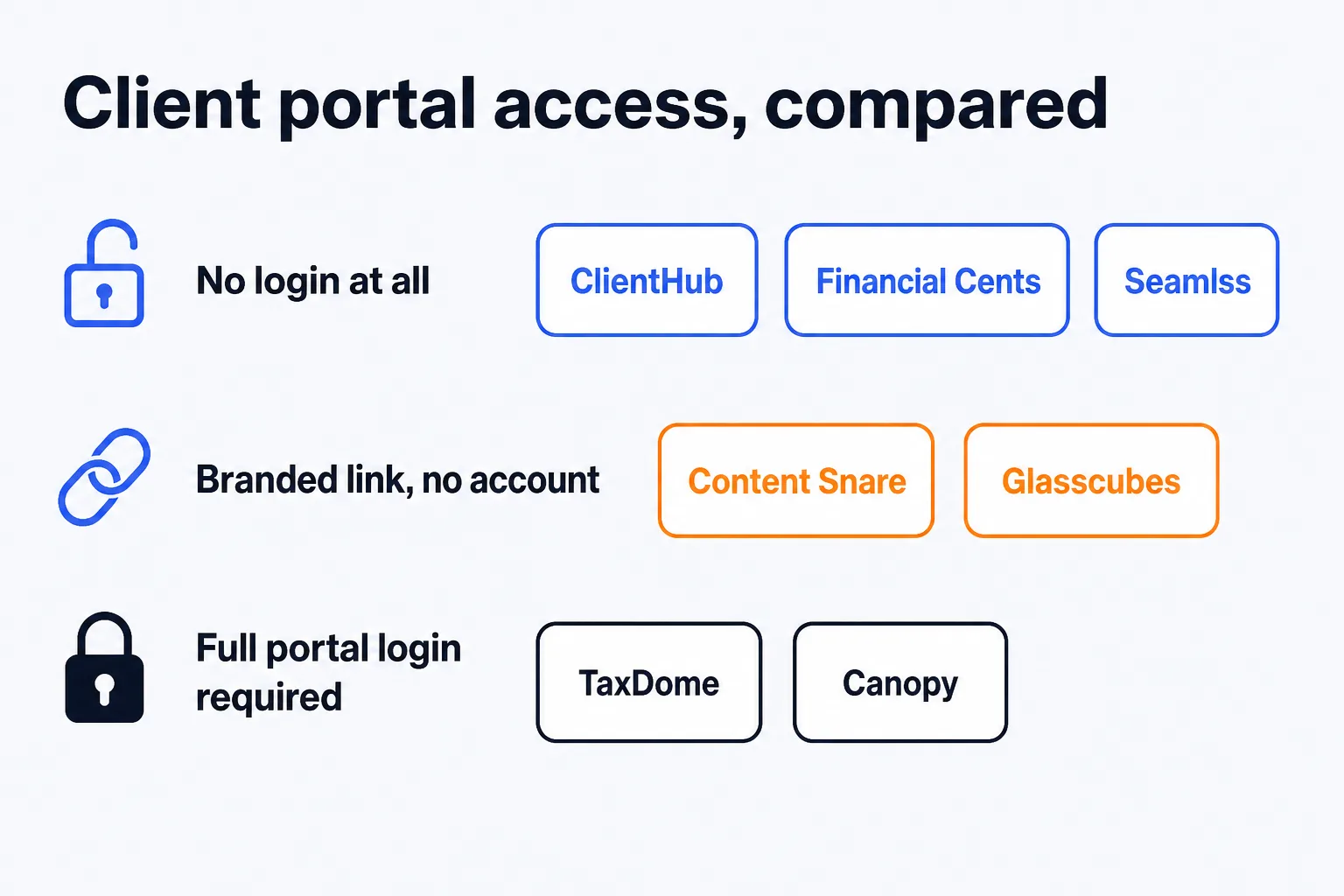
Every vendor here calls its product a "client portal," but they solve the login problem in three different ways.
No account, no password. ClientHub and Financial Cents both use a passwordless link: the client clicks through from an email or text, uploads a file, signs a document, or pays an invoice, and never creates a username. Seamlss goes further for its specific job of client onboarding: clients sign engagement letters directly in the browser with, in the vendor's own words, no portal login required at all.
A branded link, no persistent account. Content Snare and Glasscubes send a secure, firm-branded page rather than a generic portal login screen. Content Snare states the position plainly: the client creates no account, installs nothing, and has no password to remember, and their answers save as they go, so they can close the browser halfway through and return days later to the same half-finished request. Glasscubes does not describe a standing client account either, but it applies two-factor authentication to every account, which puts it closer to a real login than ClientHub's or Financial Cents's link-and-done model.
A real account with a password. The full practice suites that bundle a portal alongside workflow, billing, and a CRM, TaxDome and Canopy, put the client behind a persistent portal account. That makes sense once the client is coming back repeatedly across a full year of tax organizers, invoices, and message threads tied to one record. It is the wrong tradeoff for a firm whose only ask is "upload this one document," which is the more common case for a client who visits the portal once or twice a year.
ClientHub: passwordless portal built into workflow
ClientHub puts the portal at the center of the product rather than treating it as a feature bolted onto workflow. Clients get a passwordless link and can upload documents, sign agreements, respond to requests, and pay invoices without creating an account. When a client completes an action in the portal, the matching task on the firm side updates automatically, so a partner can see every open job across every client from one dashboard without cross-checking a separate portal admin screen.
Two AI features are included at every plan tier, not held back for the top one. Magic Workflow turns a job description into a task list. Magic Messages drafts the client-facing notes a team writes on repeat throughout the week. Pricing starts at $49 a month for a single user (Solopreneur), rising to $59 and $79 per user per month for team plans, the top tier adding QuickBooks Online and Xero sync. ClientHub is US-only, and its portal focus means it goes lighter than a full suite on tax-organizer depth. A 14-day free trial is available.
Financial Cents: the cheaper passwordless option
Financial Cents runs the same passwordless idea, clients click a link and act without a password, inside a broader workflow, billing, and proposals platform aimed at solo and small US or Canadian firms. The portal itself is not branded with the firm's own logo and colors until the Scale plan; below that, it works, but it looks like Financial Cents rather than the accountant's own practice.
Pricing starts at $19 a month for the single-user Solo plan, the lowest entry price of any tool in this guide, rising to $49 and $69 per user per month for Team and Scale. The Scale tier adds the branded portal along with an open API and advanced automation. Financial Cents connects to QuickBooks Online, Gmail, Outlook, Zapier, and SmartVault, and is limited to North America. A 14-day free trial requires no credit card.
Content Snare: skip the portal, just collect the documents
Content Snare is narrower than the other four by design: it is a document-collection link, not a portal a client returns to for ongoing work. You build a request from a template, conditional logic hides the questions that do not apply to that client, and they upload files and fill in fields at their own pace while automated email and SMS reminders keep chasing until the list is complete. Your team approves or rejects individual items with a comment attached, so a client who got one thing wrong fixes that one thing rather than resubmitting everything. An AI-drafted request builder speeds up setup for recurring jobs like year-end packs. Identity verification and AML screening are built in, so a client's ID can be checked against politically exposed person and sanctions databases inside the same request that collects their documents, an onboarding step some of the other tools do not mention. Content Snare is ISO 27001 certified.
Pricing starts at $35 a month on annual billing for 20 active requests and 2 users, scaling to $215 a month for 200 or more requests. The number that matters is requests open at the same time rather than requests a year: completing or archiving one frees the slot, so 20 active requests can cover a few hundred clients across a year at an even pace, and it is the firms with sharp seasonal peaks that end up sizing the tier to the peak. Content Snare covers the US, UK, Australia, and Canada, wider geographic reach than ClientHub or Financial Cents, and it is available in German, Spanish, and French as well as English. It is the right pick when the actual job is chasing documents for a specific request, not running an ongoing client relationship through one login. Firms whose bottleneck is broader, workflow and billing alongside the portal, are better served by ClientHub or the full suites covered in the practice management guide above.
Glasscubes: the UK-first branded portal
Glasscubes is built for UK firms specifically, with GBP pricing and no published USD equivalent. Clients get a secure portal link, upload documents, complete digital forms, and give e-signature approval across personal tax, audit, VAT, payroll, and bookkeeping requests. The firm sees live progress on every outstanding request from one dashboard, and the vendor reports a 40 percent increase in client response rates and a 50 percent cut in response times, figures from Glasscubes's own site rather than independent measurement.
Glasscubes is the one tool in this guide that publishes an actual storage number, from 500 GB on the Essential tier up to unlimited on Advantage. It is ISO 27001 certified, though that is no longer what separates it from the alternatives: Content Snare holds the same certification. Two-factor authentication on every account is the sharper distinction, a credential Seamlss also names on its own AWS-hosted platform. The Advantage tier adds white-labeling, a custom URL, and Single Sign-On. There is no free trial. A firm outside the UK that wants USD pricing transparency or a no-commitment trial will find Content Snare or ClientHub a closer fit.
Seamlss: onboarding without a portal login at all
Seamlss solves a narrower problem than the other four: the first weeks of a new client relationship for Australian accounting, tax, and bookkeeping firms specifically. It sends the engagement letter, collects a digital signature directly in the browser with no portal login required, verifies identity through Stripe Identity or the Document Verification Service, and automates ATO Agent Linking, the Australian Tax Office process firms must complete when taking on authority over a new client's tax account.
Seamlss connects to Xero Practice Manager as a connected app, pulling client data and syncing job creation automatically. Pricing is in Australian dollars across three tiers based on annual request volume, from 1,200 to 2,400 requests a year, with unlimited users and clients on every tier. A 14-day unlimited free trial requires no credit card. Seamlss is built entirely around Australian regulatory requirements and is not suited to firms outside Australia.
Client portal software compared
| Tool | Client access | Storage or capacity | Starting price | Best fit |
|---|
| ClientHub | Passwordless link | Not published, folded into seat price | $49/month | US firms wanting portal tied to workflow |
| Financial Cents | Passwordless link | Not published, folded into seat price | $19/month | Lowest-cost passwordless option |
| Content Snare | Branded link, no account | 20 active requests (Basic) to 200+ (Custom), counted concurrently | $35/month | Document collection only, not full portal |
| Glasscubes | Branded link, 2FA | 500 GB to unlimited | Custom (GBP) | UK firms wanting GBP billing and a published storage cap |
| Seamlss | Browser sign-in, no login | Request-volume tiers, not storage-based | Custom (AUD) | Australian client onboarding and ATO Agent Linking |
Figures reflect what each vendor publishes as of this writing. Confirm the current number on the vendor's own pricing page before a client contract depends on it, since three of the five quote in a currency other than USD or do not publish a headline rate at all.
A firm running separate tools for workflow, billing, and the client portal often spends more time on admin than one that consolidates. TaxDome and Canopy both bundle a client portal into a full practice-management platform, and both put clients behind a real account with a password rather than a one-time link, since the client is coming back across a whole tax season of organizers and messages, not uploading a single document. TaxDome starts at $800 per user per year and leans toward US tax-cycle work; Canopy runs modular pricing from around $49 per module per month and pairs the portal with IRS transcript pulls for resolution work. Neither is the right purchase for a firm that only needs the standalone portal covered in this guide. The full practice management comparison covers both in depth, alongside Karbon, Jetpack Workflow, and Pixie.
A client portal also is not the same purchase as a system for tracking the client relationship itself, contact history, referral source, service history, and the sales pipeline for new work. That job sits with a dedicated CRM rather than a document and e-signature portal, and it is worth keeping the two budgets separate even when a single vendor's marketing blurs the line between them.
Choosing without overpaying for features you will not use
Start with how often a given client actually needs to reach the portal. A client who uploads a W-2 once a year and never logs back in is exactly who a passwordless link is built for: ClientHub or Financial Cents if the portal needs to tie into workflow, Content Snare if all that is needed is the document chase itself. A client who returns across a full engagement, tax season organizers, ongoing invoices, message threads spanning months, is a better fit for the persistent-account model TaxDome or Canopy use, because the friction of a real login pays for itself once the client is coming back regularly anyway.
Location narrows the list fast. UK firms wanting GBP billing land on Glasscubes, which is ISO 27001 certified, though Content Snare carries that certification too and quotes in USD. Australian firms handling ATO Agent Linking on every new client land on Seamlss. Everyone else in the US or Canada is choosing between ClientHub, Financial Cents, and Content Snare on price and how much workflow they want bundled with the portal. The client engagement and onboarding category covers the wider set of catalog tools in this space, including ones built for a single step of the relationship rather than the whole portal.
Common questions
Do clients need to create an account to use a client portal?
It depends on the tool. ClientHub, Financial Cents, and Seamlss all let clients act through a link or a direct browser sign-in with no password to remember. Content Snare and Glasscubes send a branded request page instead of a generic login screen. Content Snare states that its clients create no account, install nothing, and have no password, while Glasscubes applies two-factor authentication to every account. Full practice suites like TaxDome and Canopy put clients behind a persistent account with a password, which makes more sense for a client returning across a whole engagement than for a one-time document upload.
What is the difference between a client portal and full practice management software?
A client portal is the surface a client sees: uploading documents, signing agreements, checking what is still outstanding. Practice management adds everything on the firm's side of that same relationship, internal task tracking, time entry, billing, and often a CRM for the client record itself. ClientHub, Financial Cents, Content Snare, Glasscubes, and Seamlss are all sold primarily as portals. TaxDome and Canopy sell the portal as one module inside a much larger platform.
Is a client portal the same thing as a CRM?
No. A portal handles document exchange, e-signature, and status visibility with the client. A CRM tracks the client relationship itself: contact history, referral source, and the pipeline for new work. Some full practice suites bundle a basic CRM alongside their portal, but none of the five dedicated portal tools in this guide are built as a client relationship system.
How much does client portal software cost?
Financial Cents is the cheapest entry point at $19 a month for a single user, though its branded portal is reserved for the $69-a-month Scale tier. ClientHub starts at $49 a month. Content Snare starts at $35 a month based on request volume rather than seats, and the count is requests open at the same time rather than requests a year, so a completed request frees its slot for the next one. Glasscubes and Seamlss both quote in a non-USD currency (GBP and AUD respectively) rather than publishing a USD rate.
Content Snare covers the US, UK, Australia, and Canada. Glasscubes is built for UK firms specifically, with GBP pricing. Seamlss is built entirely around Australian regulatory requirements, including ATO Agent Linking, and is not suited to firms outside Australia. ClientHub and Financial Cents are both limited to North America.
Matching a client portal to a firm's actual client mix, one-time document uploads versus a returning relationship across a full engagement, location, and budget is a narrower decision than it looks from the pricing pages alone. The CurateSuite matchmaker takes a few questions about firm size, location, and what is actually slowing client response down, and returns the portal and practice-management tools that fit, results shown immediately with no email required.