Every OCR tool in this category promises the same thing: point a camera or an inbox at a receipt or an invoice, get back a coded transaction. The extraction quality across the tools worth considering is closer than the marketing suggests. What actually decides your monthly bill is the pricing mechanism each vendor picked, and that detail rarely shows up until you are three questions into a sales call.
Ten tools built for this job price on five different bases: per page, per document credit, per client entity, per seat, or a custom quote with no public number at all. Only two price per client entity, which is the one variable that scales directly with how many client books a firm carries. The rest bill by document or page volume regardless of how many clients that volume is spread across, or by seat count, or by a quote you have to ask for. A firm with 30 small clients and a firm with 3 large ones can pay wildly different amounts for the same tool, purely because of which lever the vendor chose, independent of how good the extraction actually is.
The short answer
- Xero-only firms: Hubdoc is included free on paid Xero plans. Do not pay for a second capture tool until Hubdoc's simpler extraction stops keeping up with your bill volume.
- QuickBooks, Xero, or Sage firms with real document volume: Dext handles complex line-item invoices and multi-currency documents better than the fetch-only tools, priced by document volume and users on a custom quote.
- Firms that want credits, not seats: AutoEntry charges per document and includes unlimited users on every tier, which suits a firm that adds staff faster than it adds clients.
- Bank and other statement conversion specifically: DocuClipper converts bank, credit card, and brokerage statements into Excel, CSV, or a direct QuickBooks/Xero import, priced per page from $20 a month.
- Firms that want to build extraction into their own systems: Veryfi and Nanonets are API-first, priced per document run, with a usable free tier on both.
- High-volume finance teams on an ERP: Rossum starts at $18,000 a year and is built for teams pushing thousands of invoices a month into SAP, NetSuite, or Oracle, not for a small practice.
The rest of this article breaks down what "OCR" actually covers, compares all ten tools on the pricing mechanism that matters, and works through how to pick without over-buying.
What OCR software for accountants actually does
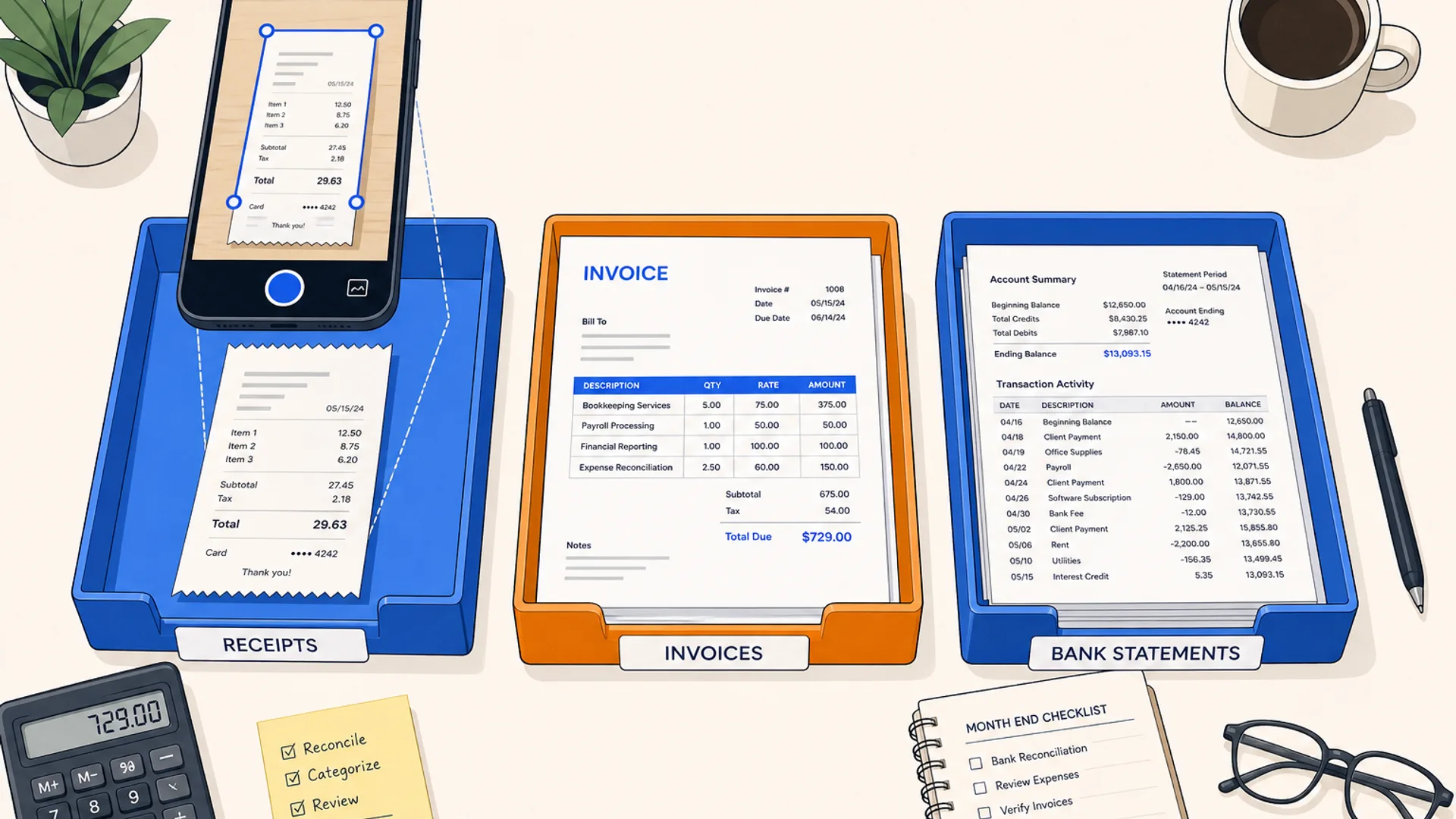
"OCR" is shorthand for a pipeline with three steps: read the image or PDF, pull structured fields out of it (vendor, date, amount, line items, tax), and hand those fields to a ledger or a spreadsheet in a format that does not need re-keying. Every tool in this category does some version of that pipeline. Where they differ is document scope (receipts only, versus invoices, versus bank statements, versus purchase orders and checks), output destination (a two-click sync into Xero or QuickBooks, versus a CSV you import yourself, versus a raw API response your developer maps), and how the vendor charges for the privilege.
None of that is a testing claim. The comparisons below come from what each vendor publishes about its own product: pricing pages, integration lists, and stated accuracy figures, cross-checked against CurateSuite's document capture and extraction category. Capture is only one slice of what gets marketed as AI bookkeeping; for the categorization, reconciliation, and close-review side of the same client books, see Best AI bookkeeping software in 2026.
The pricing mechanism, tool by tool
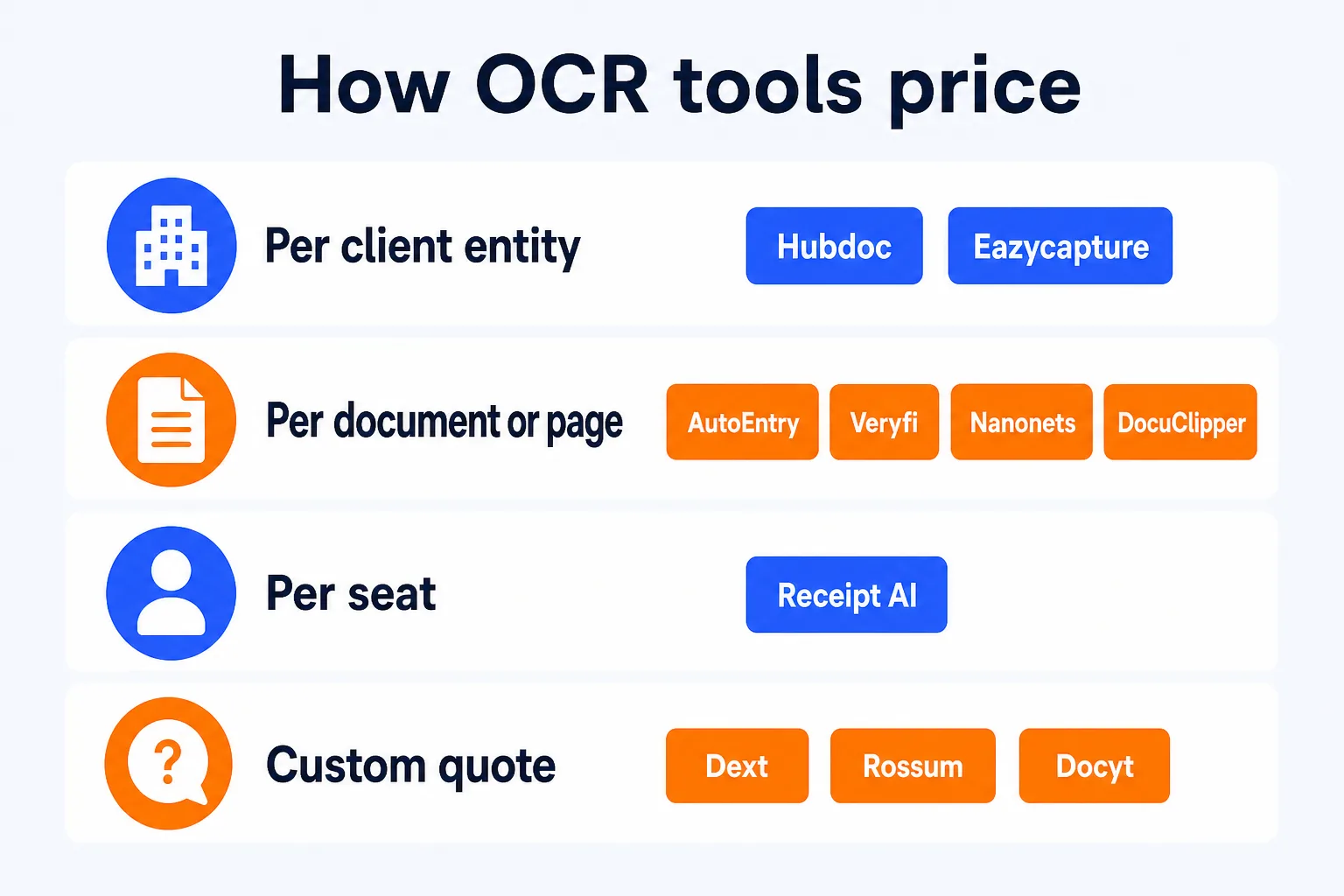
Per client entity: Hubdoc, Eazycapture
Hubdoc is included free with any paid Xero plan; run it standalone and it costs about $12 per business per month, which is a per-entity charge in practice even though the vendor calls it flat. Eazycapture is explicit about it: about GBP 7 to GBP 8.15 per client per month on UK pricing, with unlimited team members bundled in.
Per-entity pricing is the one mechanism that tracks a bookkeeping firm's actual growth curve: add a client, add a fee. It also means the bill rises even for a client sending five receipts a month, since the charge is per business, not per document. For a firm with a lot of very small clients, that adds up faster than it looks on the pricing page.
Per document or page: AutoEntry, Veryfi, Nanonets, DocuClipper
AutoEntry runs on credits, one per document, from $13 a month for 50 credits up to $469 for 2,500, with unlimited users and a 90-day credit rollover on every tier. Veryfi charges per API call once past its free 100-document tier, receipts at $0.08 and invoices at $0.16 each, with a $500 monthly minimum on the Starter plan. Nanonets is usage-based per document run, from about $0.02 for a simple extraction to $0.30 for a complex one, starting with $50 in free credits. DocuClipper, a bank and financial statement converter not in CurateSuite's tool catalog, prices per page: $20 a month for 60 pages, $111 for 640, $360 for 2,000, with unlimited users at every tier.
This group is the mirror image of per-entity pricing: the bill tracks document or page volume, not client count. A firm with three high-volume clients pays about the same as a firm with thirty low-volume ones processing the same total document count. Three of the four (AutoEntry, DocuClipper, and Nanonets at the Starter level) bundle unlimited users, so adding staff does not add cost the way it does under a seat-based plan.
Per seat or team size: Receipt AI
Receipt AI is the one tool in this set priced by team size rather than by document or client count: $29 a month for one member and 100 receipts, up to $299 for ten members and 2,500 receipts. That model fits a small team with a roughly fixed headcount better than a bookkeeping firm whose client list changes month to month, since every added team member moves the plan up a tier regardless of how many extra documents they process.
Custom quote, no public number: Dext, Rossum, Docyt
Dext no longer publishes pricing; plans are quoted by sales around user count and monthly document volume. Rossum publishes a starting figure, $18,000 a year on its Starter tier with unlimited seats, then moves to custom quotes for the tiers most firms actually need. Docyt publishes "around $299 a month" as a floor, with the real number set by entity count and transaction volume once a sales conversation happens.
An opaque quote is not automatically a worse deal, Dext's extraction on complex multi-currency invoices is genuinely stronger than the fetch-only tools, but it does mean you cannot compare the sticker price against the other nine tools in this list without picking up the phone. If your firm is choosing between fixing capture and fixing workflow more broadly, Dext vs Karbon: which AI features matter works through that trade-off directly.