Dext
Receipt and invoice capture for bookkeepers and firms.
Last checked Read from Dext's published pricingHow we check prices
Overview
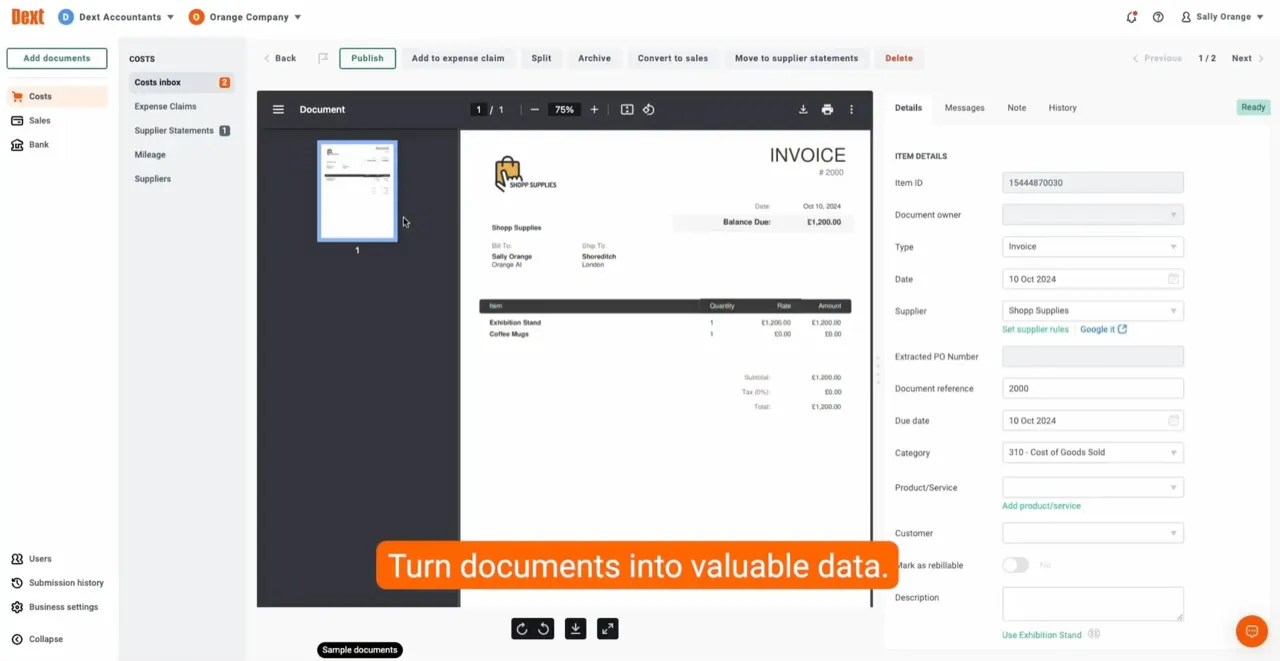
On a typical morning, your team opens an inbox full of supplier PDFs, a stack of photographed receipts from clients, and a browser tab open to a utility portal. Dext captures all of those, pulls the structured data out of receipts, invoices, and bank statements, and posts the transactions into QuickBooks, Xero, Sage, or Excel. Clients photograph receipts on their phone, a browser extension picks up bills from supplier portals, and a dedicated email address catches PDF invoices as they arrive. Categorization rules build up from prior postings, so regular suppliers need less correction over time.
Dext works with QuickBooks, Xero, Sage, and Excel. Pricing is no longer published on the Dext site: plans are quoted by sales and structured around the number of users and the volume of documents processed each month, with custom plans for higher-volume or more complex firms. A free trial is available; there is no permanent free tier.
In daily use, Dext saves the most time on clients with high supplier-invoice volumes and varied receipt formats. Categorization rules learn from previous postings, so repeat suppliers need less correction over time. For clients with fewer than about 50 documents a month, the Hubdoc capture that comes free with most Xero plans may be sufficient.
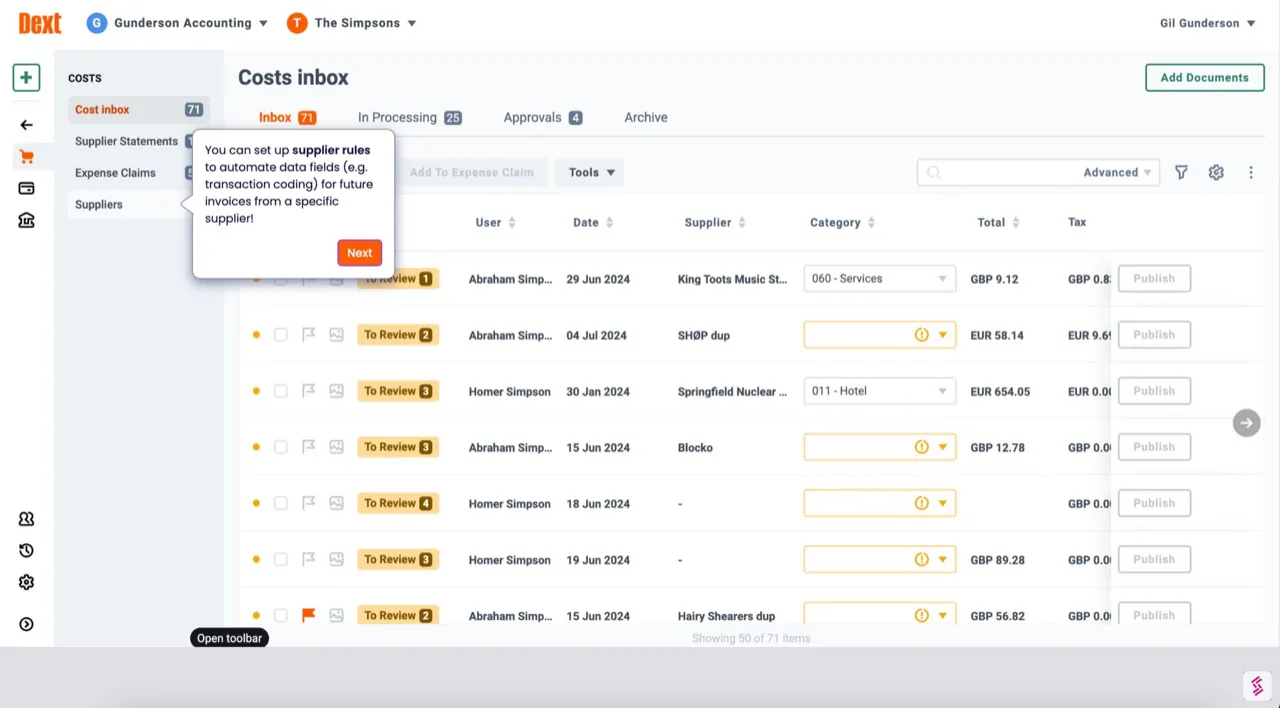
Compared to AutoEntry, which charges per credit rather than per user, Dext's per-user pricing works out cheaper for firms running many clients through one login. Dext also adds categorization suggestions and supplier-feed connections that pull bills from utility and telco portals, while AutoEntry focuses on extraction only.
The service runs in the cloud with a mobile app and is available in the US, UK, Australia, Canada, and other regions. It fits solo bookkeepers through to mid-sized practices with up to around fifty staff.
See it in action
Product images courtesy of Dext.
Key facts
- Starting price
- Custom pricing
- Pricing model
- Custom
- Free trial
- Yes
- Free tier
- No
- Deployment
- Cloud, Mobile
- Geography
- US, UK, AU, CA, Global
- Founded
- 2010
- Support
- Phone, Chat, Email, Knowledge Base
- Languages
- English, French
- Works with
- QuickBooks, Xero, Sage, Excel
- Last checked
- 2026-06-29
Pros and Cons
Pros
- Solo bookkeepers and small to mid firms that need receipt and invoice capture into QuickBooks, Xero, or Sage.
- Practices that want browser-extension and email-forwarding capture alongside a mobile app.
- Firms with multi-firm portfolios that need line-item invoice extraction across many clients.
Cons
- Firms with very low capture volume. At low document counts, manual entry can cost less than a Dext subscription.
- Practices on NetSuite or enterprise ERPs. Dext targets QuickBooks, Xero, and Sage.
- Firms that want a permanent free tier. Dext offers only a time-limited trial.
Pricing
| Tier | Price | Billing | Features |
|---|---|---|---|
| Custom | Custom | Quoted by sales, structured around users and monthly document volume | Receipt and invoice capture, line-item extraction, multi-firm access, and accounting-software sync. Plans are built around the number of users and the volume of documents processed each month. |
Compare Dext head to head
Side by side on pricing, integrations and fit, from the same checked records as this page.
Frequently asked questions
What does Dext do that Hubdoc doesn't?
How much does Dext cost?
Is Dext worth paying for if my clients already have Hubdoc free with Xero?
Does Dext work in the US?
How accurate is Dext's AI extraction?
Is Dext the same as QuickBooks?
Is Dext available worldwide?
Featured in
- AI Accounting Tools That Work Without Training: Plug-and-Play Optionslist · 6 min read
- AI Tools for Firm Partners and Managers: Strategic, Not Just Operationalguide · 7 min read
- Best AI Tools for Bookkeepers: From Data Entry to Client Deliveryguide · 7 min read
- AI Tools by Firm Size: How to Choose for Solo, Small, and Mid-Size Firmsguide · 7 min read
- Build vs Buy: Custom AI or Off-the-Shelf Tools for Your Firm?guide · 9 min read
- How to Get Buy-In for AI at Your Accounting Firmhow-to · 8 min read
Show all 23 articles
- When to Switch AI Accounting Tools: Signs Your Software Is Not Workingguide · 9 min read
- Questions to Ask AI Accounting Vendors Before You Signguide · 9 min read
- AI vs OCR for Accountants: What Is the Difference?guide · 7 min read
- Best Dext Alternatives for Receipt and Invoice Capturecomparison · 9 min read
- Dext vs AutoEntry vs Hubdoc: Which Data Capture Tool Fits Your Firm?comparison · 9 min read
- Best Invoice OCR Software in 2026list · 9 min read
- Best OCR and Document Capture Software for Accountants (2026)list · 10 min read
- AI Bookkeeping: What It Automates and Where It Still Failslist · 9 min read
- Will AI Replace Accountants? The 2026 Dataguide · 9 min read
- AI in Accounting: The Complete 2026 Guideguide · 12 min read
- 12 Best AI Tools for Accountants in 2026guide · 12 min read
- Best AI Tools for Small US Accounting Firms in 2026guide · 10 min read
- How to Narrow Down AI Accounting Toolsframework · 10 min read
- What AI Can and Cannot Do in Your Accounting Practice Todayframework · 10 min read
- AI Bookkeeping Tools Compared: What Actually Saves Time?comparison · 10 min read
- How to Evaluate AI Accounting Software: A 5-Point Frameworkframework · 10 min read
- Dext vs Karbon: Which AI Features Matter?comparison · 9 min read
User reviews
See what other accounting professionals say about Dext on independent review platforms.
Alternatives to Dext
Other AI tools in the Document capture and extraction category.