CurateSuite
List12 min read

Free AI Tools for Accountants Worth Using in 2026

Twelve genuinely free AI tools for accountants, sorted by what actually caps the free tier: transaction volume, entity count, revenue threshold, document count, or just the AI features themselves.

By CurateSuite
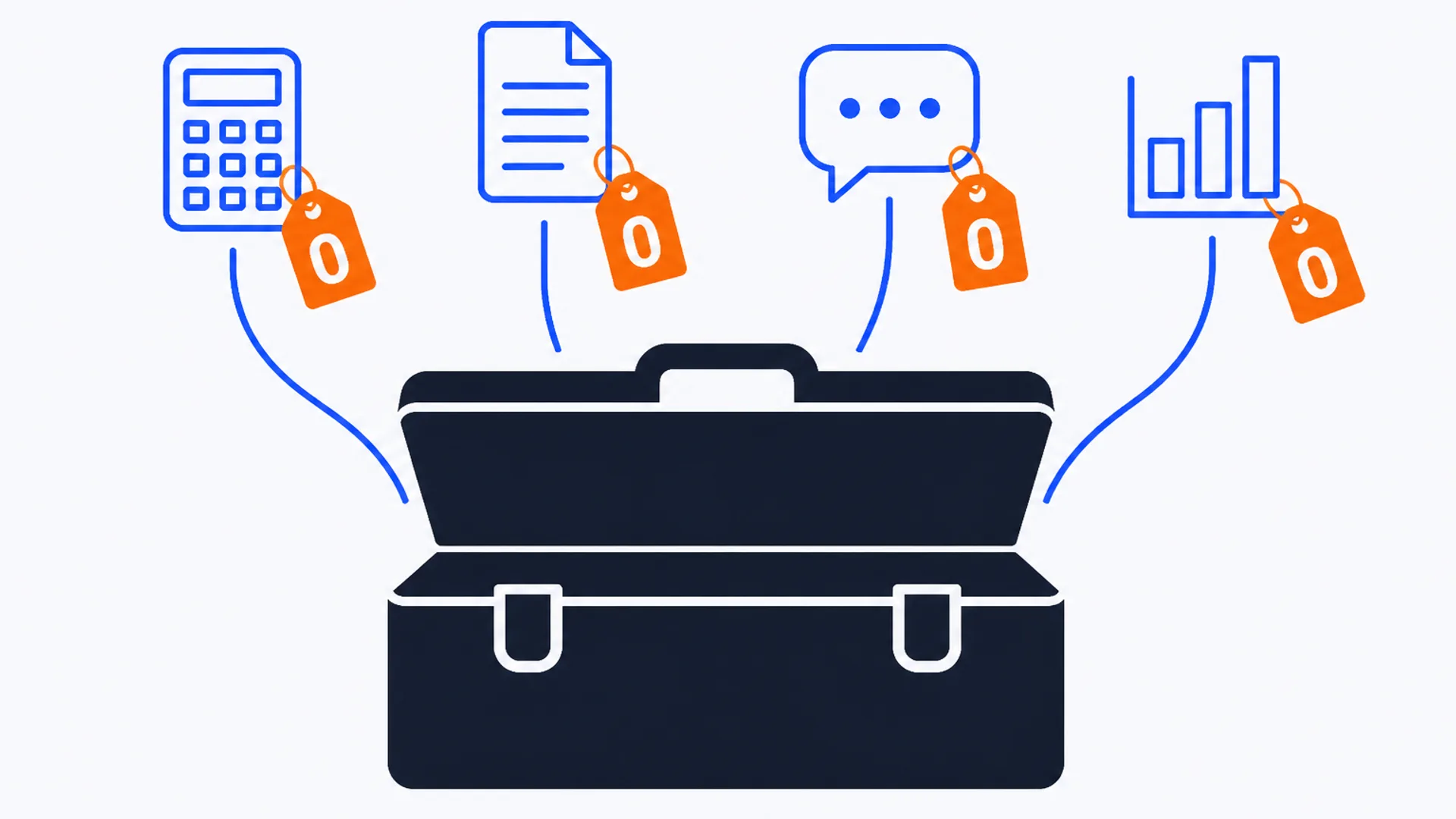
Flat vector editorial illustration on a warm off-white background of a single large solid deep-slate toolbox at center, viewed straight-on with its lid open. Four flat brand-blue outline icons, a calculator, a document, a chat bubble, and a bar chart, float above the toolbox connected by thin blue line strokes, each hung with a small flat brand-orange price-tag charm marked with a bold zero. No desk, laptop, phone, or coffee cup in the scene.

"Free" on an AI accounting tool's pricing page rarely means what it sounds like. Wave Accounting really is free forever: no revenue ceiling, no transaction limit, nothing. TaxGPT's free tier is free forever too, but only for 25 tax questions before the meter runs out. Kick caps its free tier at 250 transactions a year. Zoho Books caps it at $50,000 in annual client revenue. Ramp's free tier includes the corporate cards but not the AI-driven auto-coding that is the actual reason a firm would pick an AI tool over a plain expense spreadsheet. Twelve tools in CurateSuite's catalog carry a genuine free tier built for ongoing use, not a 14-day trial dressed up as one, and each caps that tier on a different axis: transaction volume, entity count, revenue, document count, question count, or simply which features unlock at the next paid step.

That distinction matters more than the word "free" does. A solo bookkeeper running one client under Zoho's $50,000 revenue line gets a permanently free ledger. A firm running fifty clients through the same tool hits the ceiling on client one. Picking a free AI tool without knowing which axis it caps is how a firm ends up mid-onboarding with a client roster the free tier was never built to hold.

This list sorts the twelve by what they cover and what actually limits the free tier, so you can match the cap to your firm's real usage before building a workflow around a tool that was only ever going to be free for a month. It sticks to accounting-specific tools sourced from vendor pricing pages, not general-purpose AI assistants repurposed for spreadsheet work. For the broader buying process, How to Evaluate AI Accounting Software: A 5-Point Framework covers the questions worth asking beyond price, and 12 Best AI Tools for Accountants in 2026 covers the paid tools worth budgeting for once a free tier stops being enough.

The short answer

  • Want a ledger with zero usage ceiling, ever: Wave Accounting's free tier never expires and never caps transactions, though automatic bank import stays behind the $19/month Pro plan.
  • Run one or two clients under $50,000 in revenue: Zoho Books Free covers invoicing, bank reconciliation, and basic reporting for one user plus one accountant, at no cost as long as the client stays under that line.
  • Want free corporate cards with AI features included: Brex Essentials bundles AI-powered custom rules into its free tier, not just the base Ramp automation.
  • Need document extraction at meaningful volume before paying: Veryfi's 100 free documents a month beats Nanonets' pay-as-you-go credits for a firm that wants a hard, predictable monthly allowance.
  • Want tax research answers without a subscription: TaxGPT's free tier covers 25 tax questions and one return review.
  • Run a tax-prep practice testing intake software: StanfordTax's free tier already has full feature access across all four US return types; only live support sits behind the paid plan.
  • Need FP&A dashboards without a per-seat bill: Syft Analytics Basic is free forever with unlimited users, though financial reports and commentary are Standard-tier only.

What "free" actually caps

Every tool below calls its entry tier free. The word hides five different structures. Two cap by usage volume outright, two cap by account size (revenue or entities), and the rest leave core usage uncapped but gate specific features or support behind the next tier.

ToolCategoryFree tier caps onThe real ceiling
Wave AccountingLedgerFeaturesNo transaction cap; auto bank import and receipt capture are Pro-only
Zoho BooksLedgerRevenueFree only under $50,000 in annual client revenue, one user plus one accountant
PuzzleLedgerTransaction volumeFree up to $20,000 in transaction volume, then roughly $25 a month
KickLedgerTransaction volume + entities250 transactions a year, one entity
RampAP, AR, paymentsFeaturesCards and basic AP are free; AI-driven auto-coding needs Plus at $15 per user
BrexAP, AR, paymentsEntitiesTwo entities free; more entities and audit-detection AI need Premium
MelioAP, AR, paymentsPayment volume5 free ACH payments a month, 10 free ledger syncs
NanonetsDocument captureCredit volume$200 in free credits, then pay per extraction
VeryfiDocument captureDocument volume100 documents a month, hard monthly cap
TaxGPTTax researchQuestion volume25 tax questions and one return review
StanfordTaxTax intakeSupport tierFull feature access free; live support needs Premium at $18 per user
Syft AnalyticsFP&A reportingFeaturesDashboards free forever; financial reports and commentary need Standard

Free bookkeeping and ledger tools

The core ledger and bookkeeping category has the widest spread of free-tier structures in this list, from a tool with no cap at all to two with hard usage ceilings.

Wave Accounting's Starter plan is free permanently: unlimited invoices, expense tracking, double-entry bookkeeping, and financial reports, with no revenue line and no transaction count anywhere in the terms. The catch is not a usage cap but a feature gate. Bank transactions have to be entered by hand unless the firm upgrades to Pro at $19 a month, which adds automatic bank import, auto-categorization, and receipt capture. For a firm with a handful of very simple clients, that manual step is a fair trade for a ledger that stays free no matter how long the client stays on it.

Zoho Books draws its line differently. The Free plan covers one user plus one accountant, invoicing, bank reconciliation, and basic reporting, but only for businesses with annual revenue under $50,000. Cross that line and the firm needs Standard at $20 a month for three users, bank feeds, and sales tax tracking. That revenue ceiling makes Zoho Books' free tier a fit for a genuinely small client, not a scaling one.

Puzzle and Kick both cap on transaction volume instead. Puzzle's Starter tier stays free up to $20,000 in cumulative transaction volume, after which it moves to roughly $25 a month for AI categorization and basic reporting. Kick's free tier allows 250 transactions a year on a single entity, with auto-categorization, profit and loss, receipt matching, and integrations across Stripe, PayPal, Ramp, and Plaid. Run the math before committing to either: a client doing 30 transactions a month blows past Kick's 250-a-year cap in under nine months, while the same client could sit inside Puzzle's $20,000 volume line for considerably longer depending on transaction size.

Free AP, AR, and payment tools

Tools in the AP, AR, and payments category fund free tiers with card interchange revenue rather than subscription fees, which changes what actually gets capped: usually not the cards themselves, but the AI layer on top of them.

Ramp's free tier includes corporate cards, expense management, basic accounts payable, treasury, and standard accounting automation, all with no seat fee. What it does not include is the AI-driven expense review and auto-coded line-item matching that Ramp markets as its headline feature; both sit behind the Plus tier at $15 per user per month. A firm adopting Ramp specifically for AI-assisted coding needs to budget for Plus from day one, not just sign up for the free plan and assume the AI comes with it.

Brex takes a different cut. Essentials, its free tier, includes AI-powered custom rules, global card acceptance, up to two entities, and standard accounting integrations. The cap here is entity count: a firm managing more than two legal entities on Brex needs Premium at $12 per user per month, which also adds AI-powered compliance audit detection and multi-entity support. For a firm working with two or fewer client entities on Brex, more of the AI feature set stays inside the free tier than it does on Ramp.

Melio's Go plan is free for one user and includes AI bill capture, international payments, and free accounts-receivable invoicing with payment links, but caps at 5 free ACH payments a month and 10 free QuickBooks or Xero syncs. A client paying more than five bills a month by ACH starts generating per-payment fees on the free plan, which is worth flagging before a client assumes the whole thing is free just because the sign-up page says so.

Free document capture tools

Both entries in the document capture and extraction category that offer a real free tier cap on volume, but they measure it differently, which matters more than it looks.

Nanonets' Starter tier gives $200 in free credits against pay-as-you-go pricing that runs from about $0.02 for a simple extraction to $0.30 for a complex AI operation. That range means the same $200 stretches from roughly 660 complex extractions down to 10,000 simple ones, so the real free allowance depends entirely on how complicated the documents are, not on a flat count.

Veryfi's free tier is simpler to plan around: up to 100 documents a month, flat, across all document types, with SDK access and email support included. A firm processing under 100 receipts and invoices a month for a client gets a predictable, renewing free allowance with Veryfi. A firm with heavier but simpler documents might get more total value out of Nanonets' credit pool before it runs out. Match the tool to whichever number, a monthly count or a total credit budget, is easier to track against a client's actual volume.

Free tax research and intake tools

The tax compliance and research category and the intake side of practice management both have a genuinely free entry point, capped on different things entirely.

TaxGPT's free tier for individuals allows up to 25 tax questions and one return review, with web access and a browser extension. That is enough to test whether citation-backed AI research actually saves time on a handful of real client questions before paying for the Professional tier, which adds multi-state comparison, document analysis, and client profiles on a custom quote.

StanfordTax takes the opposite approach: the free tier already includes full feature access across all four supported US return types (1040, 1120, 1120S, and 1065), a client questionnaire, and a preparer workpaper, with no client minimum. The only thing behind the $18-per-user Premium plan is support: free-tier users get self-serve help only, while Premium adds email and live chat with a 24-hour response window. A firm confident in running the tool without hand-holding gets the entire product for free; a firm that expects to lean on vendor support during tax season should budget for Premium from the start.

Free reporting tools

Syft Analytics is the one tool in the FP&A and advisory reporting category with a genuinely permanent free tier. Basic includes unlimited users, dashboards and graphs, and access to Syft Campus training, at no cost and no expiry. What stays behind the $23-a-month Standard plan is the output a firm would actually hand to a client: full financial reports, live views, automated commentary, and export to PDF, Excel, or Word. Basic works for internal dashboard review. Client-facing reporting work needs Standard.

Which cap will you hit first

Before picking from the list above, run three questions against the client or workflow the tool needs to cover.

Does the client's revenue or entity count sit near a threshold? Zoho Books' $50,000 revenue line and Brex's two-entity cap are the two hard structural limits in this list. If a client is growing toward either line, plan the paid-tier budget now rather than after the free tier stops working mid-year.

What is the realistic monthly volume, in transactions, documents, or questions? Kick's 250 transactions a year, Melio's 5 ACH payments a month, Veryfi's 100 documents a month, and TaxGPT's 25 questions are all volume caps that reset or run out on a predictable schedule. Estimate the client's actual monthly count against each before assuming the free tier will hold for the whole engagement.

Is the feature you actually want inside the free tier, or one step up? This is the trap in the AP and reporting categories specifically. Ramp's headline AI auto-coding sits behind Plus. Syft's client-ready financial reports sit behind Standard. A firm that signs up for the free plan expecting the AI feature that drove the purchase decision, only to find it gated, has wasted the evaluation. Once a client outgrows any of these caps, AI Accounting Tools Pricing Compared: What Things Actually Cost in 2026 lays out what the paid tiers across the wider catalog actually run.

Choosing without overbuilding around a free tier

None of the twelve tools above are free because the AI inside them is a lesser product. They are free because the vendor is betting that a firm will outgrow the cap, whichever axis it sits on, and upgrade rather than switch. That bet is often a fair one: Wave earns on payroll and payments add-ons rather than the ledger itself, Ramp and Brex earn on interchange, and TaxGPT and StanfordTax use the free tier as a funnel into the paid research and support tiers. Knowing which axis a given tool caps on, revenue, volume, entities, or just feature access, is what lets a firm plan the client roster or usage pattern around a free tool without building a workflow that snaps the moment a client crosses a line nobody was watching for.

Common questions

Are any AI accounting tools actually free forever, not just a trial?

Yes. Wave Accounting's Starter plan, Zoho Books Free, Brex Essentials, Ramp's free plan, and Syft Analytics Basic are all built to run indefinitely rather than expire after a trial period. Each still caps on something, revenue, entity count, or feature access, but none of the five has a countdown clock the way a 14-day trial does.

What is the catch with free AI accounting tools?

The catch is almost never the word "free" itself; it is which axis the vendor caps. Some cap by usage (Kick's 250 transactions a year, Veryfi's 100 documents a month, TaxGPT's 25 questions), some by account size (Zoho Books' $50,000 revenue line, Brex's two-entity limit), and some leave usage uncapped but gate a specific feature, most often the AI feature itself, like Ramp's auto-coding or Syft's automated commentary.

Which free AI tool fits a firm with several small clients?

Wave Accounting is the strongest fit for volume, since its free tier has no revenue ceiling, no transaction cap, and no client limit, at the cost of manual bank entry unless the firm pays for Pro. Zoho Books works well for a client or two that individually stay under the $50,000 revenue line, but a firm managing many such clients needs a separate Zoho Books subscription per client rather than one account covering all of them.

Do free tiers include the AI features these tools are known for?

Sometimes, and it is worth checking before signing up. Brex and Melio include their AI features (custom rules, bill capture) in the free tier. Wave's free-tier categorization is rules-based automation, not AI, and its overall AI feature set is limited compared to QuickBooks Online, Xero, or Zoho Books. Ramp's free tier does not include AI either: its flagship AI-driven auto-coding and expense review sit behind the $15-per-user Plus plan, so the free tier is closer to a plain corporate-card and basic-AP product than an AI one.

How do I decide between a hard-volume-cap tool and a feature-gated one?

Match it to how predictable the client's activity is. A client with a stable, low monthly transaction or document count fits a hard-cap tool like Veryfi or Melio, where the free allowance simply resets each month. A client whose volume is unpredictable or growing fits a feature-gated tool like Wave or Brex better, since the core usage never runs out, only the extra features do, which is easier to plan a budget around than a volume cliff.

Matching a free tier's real cap to a firm's actual client mix takes more digging than most pricing pages make easy. The CurateSuite matchmaker takes a few questions about firm size, budget, and workflow and returns the tools that fit, free tier included, with results shown immediately and no email required.

Find the right AI tools for your firm

Seven questions, two minutes, a short list of the five tools that fit your firm best. Your results, instantly. No sign-up needed.

Take the matchmaker

Tools referenced in this article

More articles

Last updated 2026-08-13. Tool comparisons are based on vendor-published specs. See our methodology.